.jpg)
Logout
-
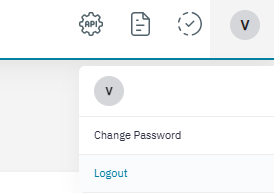
On the upper-right corner of the screen, place the cursor over the user icon.

-
Click to log out of the application at any time. Refer to the following screen.
On the upper-right corner of the screen, place the cursor over the user icon.
Click to log out of the application at any time. Refer to the following screen.