.jpg)
Table Filters
There is an advanced search option via filters on some menu’s.
-
Endpoint menu
-
SIM menu
-
Plan menu
-
Tariff menu
Once a filter has been set, it will be visible on top of the page. You can delete existing filters one by one or Clear All.

Endpoint menu
After clicking the Filter button, the following screen is displayed.
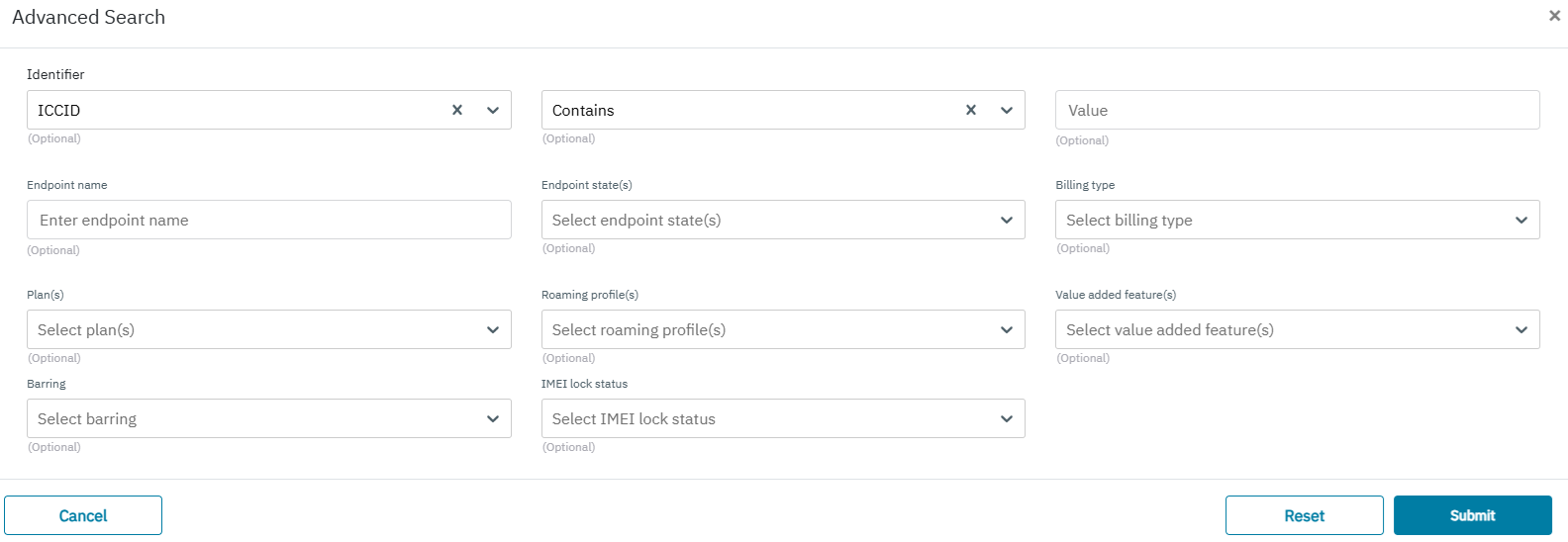
Using Advance search screen on the endpoint page we can filter below fields:
-
Identifier-Combine Filter fields: IMSI, MSISDN, ICCID, Endpoint ID. The filter can be set to CONTAINS (single value) or VALUES (comma separated list upto 4000)
-
Endpoint Name
-
Endpoint State
-
Billing Type
-
Plan(s)
-
Roaming Profile(s)
-
Value Added Feature(s)
-
Barring
-
IMEI lock status
SIM menu
After clicking the Filter button, the following screen is displayed.
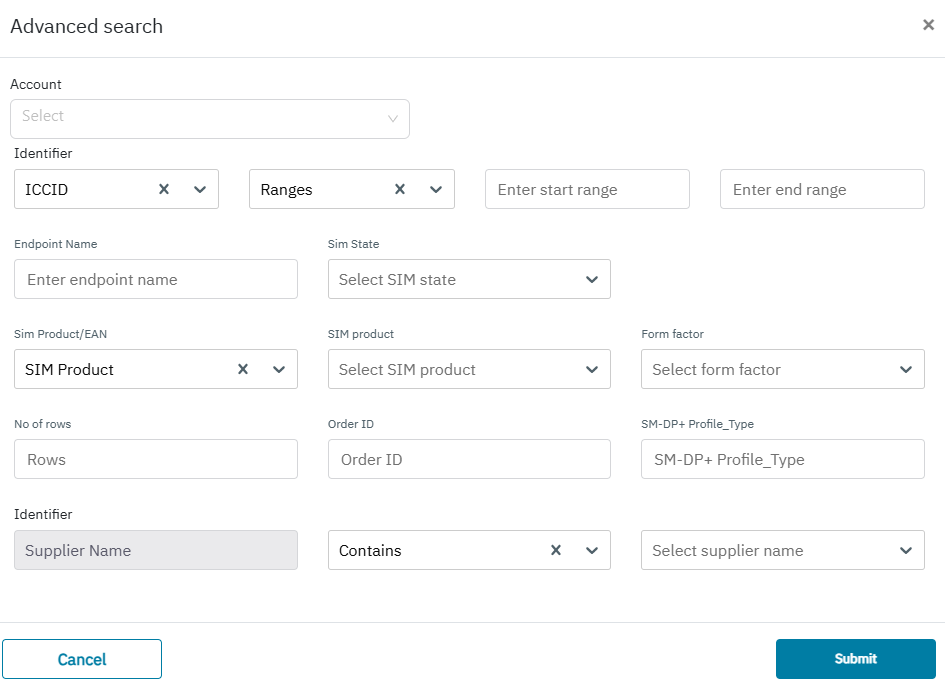
Using Advance search screen on the SIM’s page we can filter below fields:
-
Account
-
Identifier
-
IMSI (CONTAINS, VALUES)
-
MSISDN(CONTAINS, VALUES)
-
ICCID (CONTAINS, VALUES, RANGE)
-
ENDPOINT ID(CONTAINS, VALUES)
The filter can be set to CONTAINS (single value) or VALUES (comma separated list upto 4000) or RANGE ( start ICCID and end ICCID range)
For ICCID RANGE: When the user will select multiple SIM cards, a small summary screen or pop-up will be displayed. This summary screen will indicate:
-
First ICCID (the lowest ICCID selected by the user)
-
Last ICCID (the highest ICCID selected by the user)
-
Quantity (total number of selected cards.
-
Endpoint Name
-
SIM State
-
SIM Product/EAN
-
SIM Product
-
Form Factor
-
Number of Rows
-
Order ID
-
SM-DP+ Profile Type
-
Identifier
Plan menu
After clicking the Filter button, the following screen is displayed.
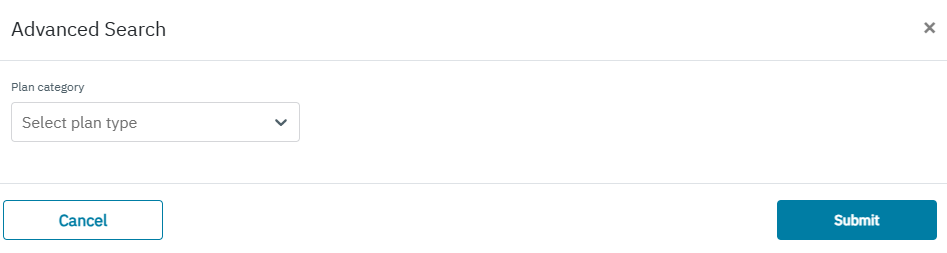
Using Advance search screen on the endpoint page we can filter below fields:
-
Plan category
Tariff menu
After clicking the Filter button, the following screen is displayed.
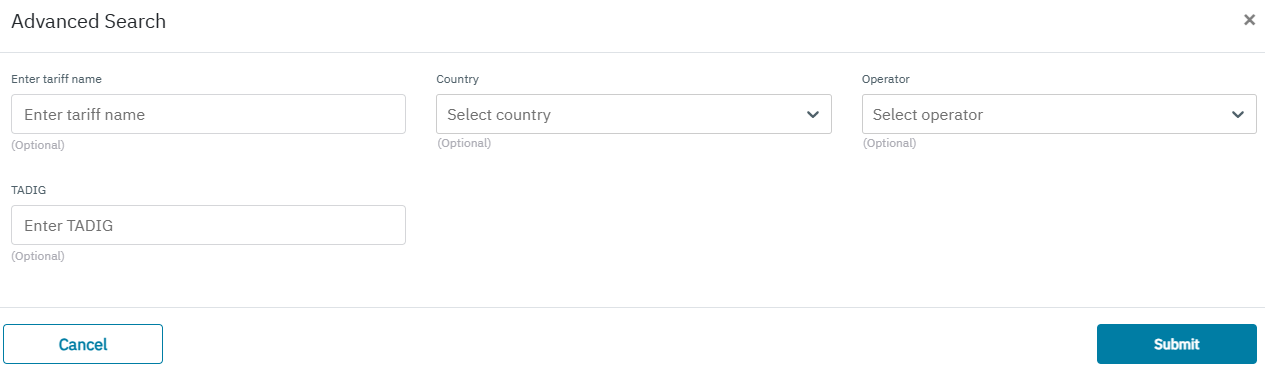
Using Advance search screen on the endpoint page we can filter below fields:
-
Tariff Name
-
Country
-
Operator
-
TADIG