.jpg)
View bill
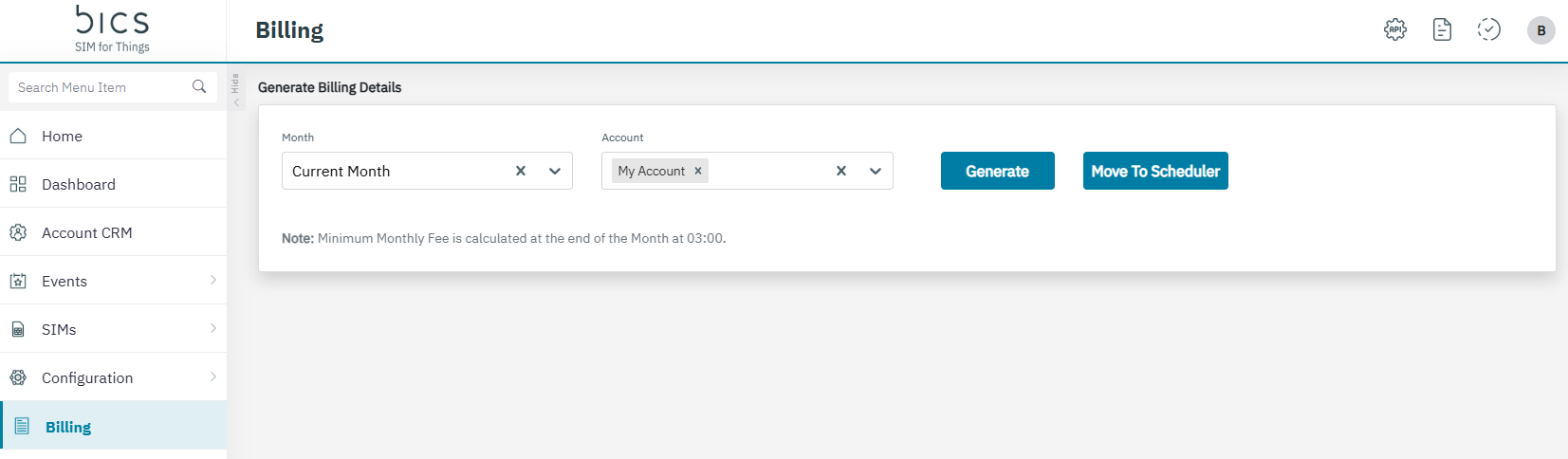
Click on the Billing menu to view the Billing details.
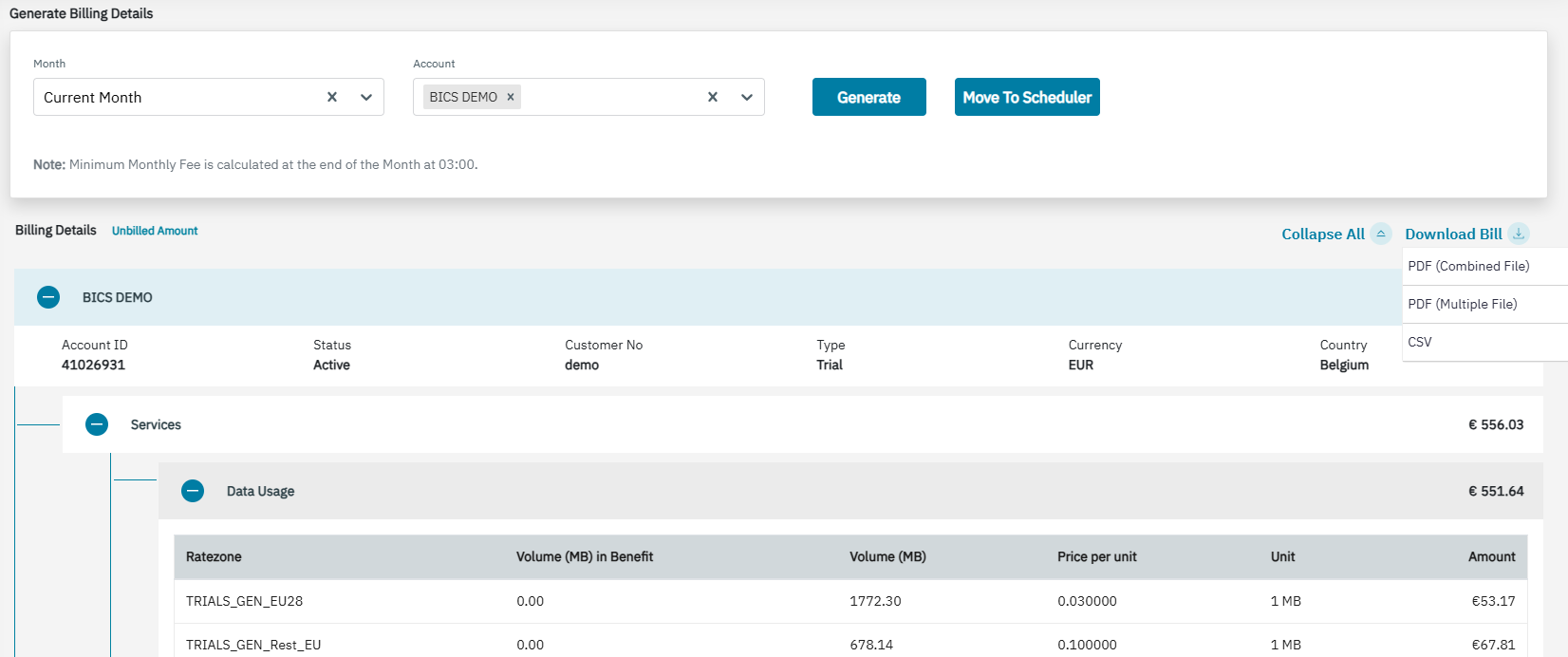
The following Billing details are displayed on the screen.
|
Category headers |
Sub-category headers |
Column headers |
Description |
|---|---|---|---|
|
One Time Fees |
|
Charging date |
Timestamp when the one time fee was charged, in format “DD/MM/YYYY HH24:MI”, without seconds |
|
Name |
Name of the charge |
||
|
Description |
Not available today, will be added later with other story |
||
|
Amount |
Amount charged for the one time fee, with correct currency symbol, with 2 decimals and dot as decimal separator |
||
|
Recurring Fees
|
|
Recurrence |
Recurrence as configured in “Factor” + “Validity” of the recurring fee |
|
Name |
Name of the charge |
||
|
Description |
Not available today, will be added later with other story |
||
|
Amount |
Amount charged for the recurring fee, with correct currency symbol, with 2 decimals and dot as decimal separator |
||
|
Benefits
|
|
Charging date |
Timestamp of charging = timestamp of activation (for OneTime or Recurring AddOns) or renewal (for Recurring AddOns only) of the AddOn, in format “DD/MM/YYYY HH24:MI”, without seconds |
|
Name |
Name of the AddOn plan |
||
|
Description |
Description of the AddOn plan |
||
|
Ratezone |
Ratezone as configured in the AddOn plan |
||
|
Recurrence |
Type of the charge (“OneTime”/”Recurring”) configured in the AddOn plan |
||
|
Activated by |
Type of activation (“Activation on Subscription” → “Subscription”/”Activation on Usage” → ”Usage” ) as configured in “Activated By” of the AddOn plan |
||
|
Amount |
Amount charged for the AddOn plan, with correct currency symbol, with 2 decimals and dot as decimal separator |
||
|
Type |
Category of Dynamic Benefits (pooled or non-pooled) |
|
|
AddOn Name |
Name of the Dynamic Benefit |
||
|
No of SIMs |
Number of SIMs for which the “SIM & Benefit Fee” in the Dynamic Benefit is charged |
||
|
SIM & Benefit Fee |
Price per SIM as configured in the “SIM & Benefit Fee” in the Dynamic Benefit |
||
|
Recurrence |
Mode (“OneTime”/”Recurring”) configured in the MDB. |
||
|
Activated by |
Type of activation (“Immediate” → “Subscription”/”Later” → “Usage”) as configured in the “SIM Activation Fee Action” in the Dynamic Benefit |
||
|
Amount |
Amount charged for the SIM management fee of the Dynamic Benefit, with correct currency symbol, with 2 decimals and dot as decimal separator |
||
|
Services
|
|
Ratezone |
Ratezone as configured in the tariff |
|
Volume (MB) in Benefit |
Volume in MB of Data usage which are not charged according to the configured tariff as they are covered in a benefit (any kind: Base plan, AddOn plan or Dynamic Benefit) |
||
|
Volume (MB) |
Volume in MB of Data usage which are charged according to the configured tariff |
||
|
Price per unit |
Price per “Unit” + “Unit type” as configured in the tariff (with all available decimals) |
||
|
Unit |
“Unit” + “Unit type” as configured in the tariff |
||
|
Amount |
Amount charged for Data usage according to the configured tariff, with correct currency symbol, with 2 decimals and dot as decimal separator |
||
|
Type |
Sub-service (A2P/P2A/P2P On-net/P2P Off-net) as shown in the transaction details |
|
|
Ratezone |
Ratezone as configured in the tariff (if available) |
||
|
No of SMS in Benefit |
Count of SMS which are not charged according to the configured tariff as they are covered in a benefit (any kind, Base plan, AddOn plan or Dynamic Benefit) |
||
|
No of SMS |
Count of SMS which are charged according to the configured tariff |
||
|
Price per SMS |
Price per SMS count as configured in the tariff (with all available decimals) |
||
|
Amount |
Amount charged for SMS usage according to the configured tariff, with correct currency symbol, with 2 decimals and dot as decimal separator |
||
|
Ratezone |
Ratezone as configured in the tariff |
|
|
Volume (MB) in Benefit |
Always 0 for now as NB-IoT benefits are not available today |
||
|
Volume (MB) |
Volume in MB of NB-IoT usage which are charged according to the configured tariff |
||
|
Price per unit |
Price per “Unit” + “Unit type” as configured in the tariff (with all available decimals) |
||
|
Unit |
“Unit” + “Unit type” as configured in the tariff |
||
|
Amount |
Amount charged for NB-IoT usage according to the configured tariff, with correct currency symbol, with 2 decimals and dot as decimal separator |
||
|
SIM Based Fees
|
|
Activated by |
Type of activation (“Immediate“ → “Subscription“/“Later“ → “Usage“) as configured in the “Action Type” in the SIM activation fee |
|
No of SIMs |
Number of SIMs for which the SIM activation fee is charged |
||
|
Price per SIM |
Price per SIM as configured in the SIM activation fee (with all available decimals) |
||
|
Amount |
Amount charged for the SIM activation fee, with correct currency symbol, with 2 decimals and dot as decimal separator |
||
|
Type |
Type of charging as configured in the “Action Type” (and slab details) in the SIM management fee |
|
|
Recurrence |
Recurrence as configured in “Factor” + “Validity” in the SIM management fee |
||
|
Activated By |
Type of activation (“Immediate“ → “Subscription“/“On first usage“ → “Usage“) as configured in the “Action Type” in the SIM management fee |
||
|
No of SIMs |
Number of SIMs for which the SIM management fee is charged |
||
|
Price per SIM |
Price per SIM as configured in the SIM management fee (with all available decimals) |
||
|
Price per Threshold |
Price for the SIMs within the Threshold as configured in the SIM management fee (with all available decimals) |
||
|
Amount |
Amount charged for the SIM management fee, with correct currency symbol, with 2 decimals and dot as decimal separator |
||
|
Type |
Feature as configured in “Applicable for” in the feature based SIM management fee and “Base Fee“/”Additional Fee” |
|
|
No of SIMs |
Number of SIMs for which the feature based SIM management base fee is charged, also filled for additional fee |
||
|
Price per SIM |
Price per SIM as configured in the feature based SIM management base fee, empty for additional fee (with all available decimals) |
||
|
No of Networks |
Number of networks for which the feature based SIM management additional fee is charged, empty for base fee |
||
|
Price per Network |
Price per network as configured in the feature based SIM management additional fee, empty for base fee |
||
|
Amount |
Amount charged for the feature based SIM management base/additional fee, with correct currency symbol, with 2 decimals and dot as decimal separator |
||
|
Type |
Category of Dynamic Benefits (pooled or non-pooled) |
|
|
AddOn Name |
Name of the Dynamic Benefit |
||
|
No of SIMs |
Number of SIMs for which the “SIM Activation Fee” in the Dynamic Benefit is charged (not necessarily the same as under Benefits as the “SIM & Benefit Fee” is always charged on subscription) |
||
|
Price per SIM |
Price per SIM as configured in the “SIM Activation Fee” in the Dynamic Benefit (with all available decimals) |
||
|
Activated by |
Type of activation (“Immediate“ → “Subscription“/“Later“ → “Usage“) as configured in the “SIM Activation Fee Action” in the Dynamic Benefit |
||
|
Amount |
Amount charged for the SIM activation fees of the Dynamic Benefit, with correct currency symbol, with 2 decimals and dot as decimal separator |
||
|
Minimum Fee |
|
Type |
Amount as configured in the Monthly minimum fee, with correct currency symbol, with 2 decimals and dot as decimal separator |
|
Monthly Recurring Charges |
Negative of the total amount charged for Monthly Recurring Charges |
|
|
Dynamic Benefits |
Negative of the total amount charged for SIM management fees of Dynamic Benefits |
|
|
SIM Management |
Negative of the total amount charged for SIM management fees |
|
|
Feature Based SIM Management |
Negative of the total amount charged for feature based SIM management fees |
||
|
Data Usage |
Negative of the total amount charged for Data usage |
|
|
SMS Usage |
Negative of the total amount charged for SMS usage |
||
|
NB-IoT Usage |
Negative of the total amount charged for NB-IoT usage |
||
|
|
Amount charged for the Monthly minimum fee, with correct currency symbol, with 2 decimals and dot as decimal separator. |
-
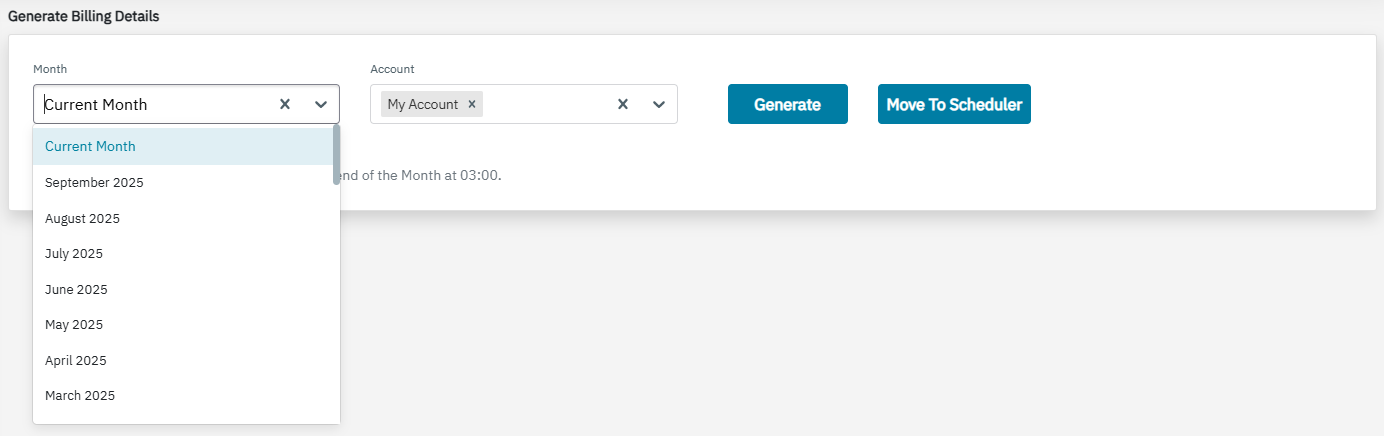
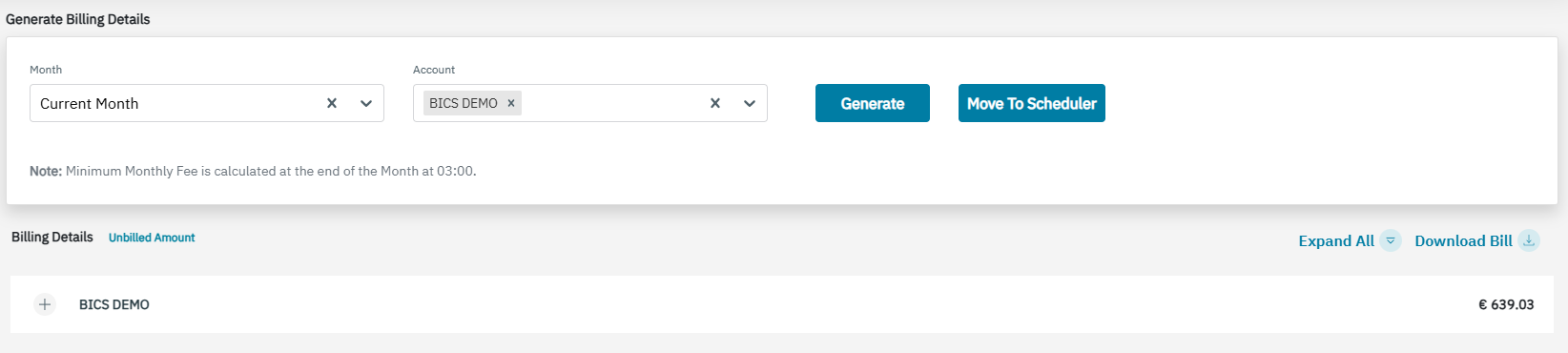
Enterprise and reseller accounts can view the billing details of the previous months from the Months drop-down list. To view the Billing details of previous months, select the required month in the drop-down list.
-
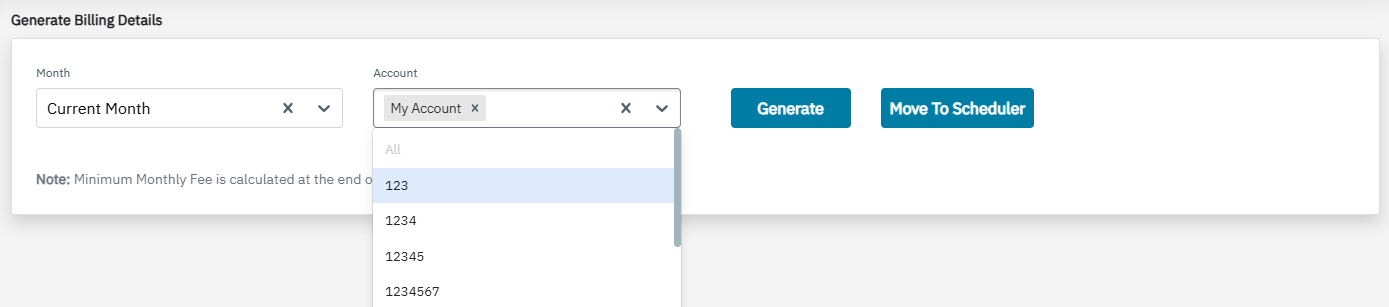
In the Account drop-down by default it will be selected as “My Account”. For a reseller account, you can see the billing details of a particular Account using the Generate Billing Details.
-
Click on the Generate button to view the billing details for the month and account you previously selected.
-
You can expand or collapse the view of your Billing Detail list by clicking the Expand All or Collapse All button of your Billing Details.
-
Select the required format from the Download Bill dropdown. You can download the bill in PDF or CSV.