.jpg)
Operational Support to child accounts
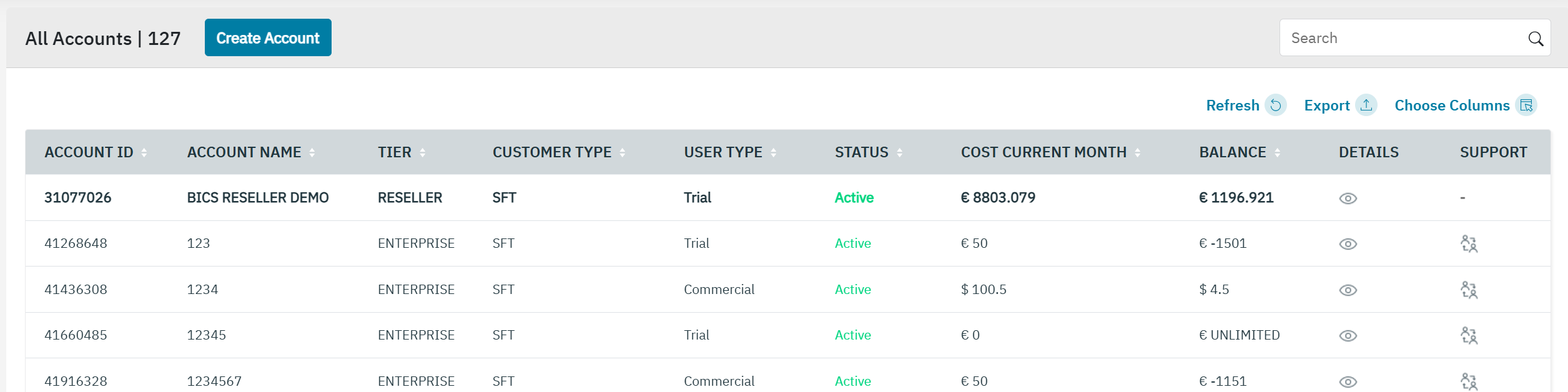
The Support function allows the Reseller to view child accounts without password for Operational or Provisioning activities. To access the enterprise account, Operational access has to be granted to the Reseller account.
-
On the Reseller accounts screen, click on the support icon to view the “support users” screen.
-
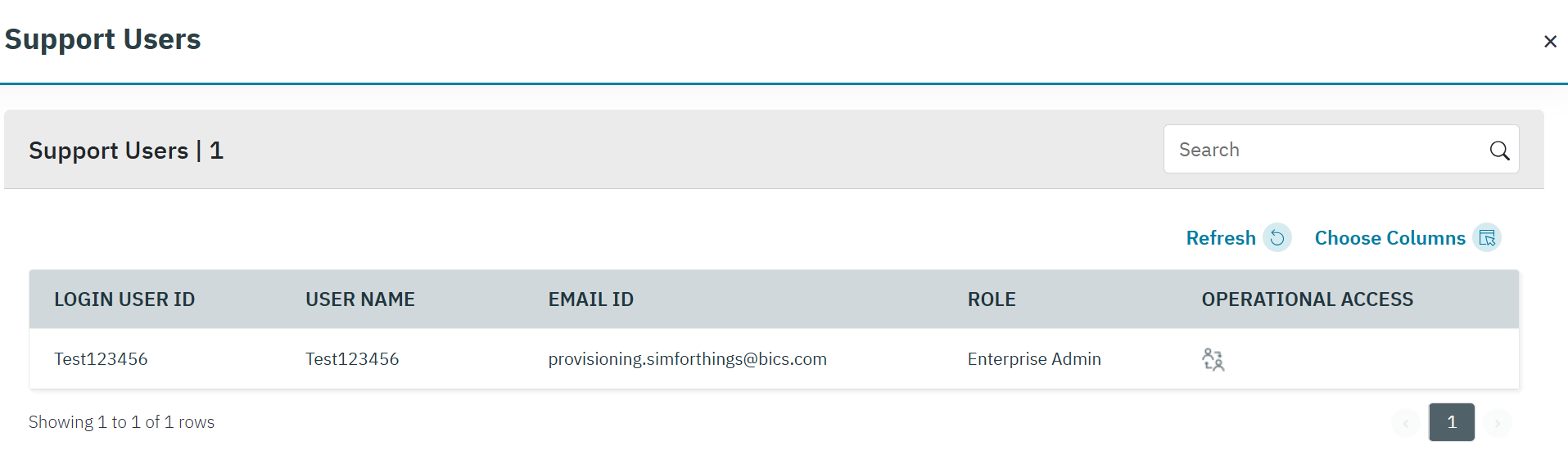
Click on the Operational access icon to open the child account you want to access.
Logging in as a Support User
If you see the message “Alert: Are you sure you want to log in as a support user?”, choose one of the following:
-
Yes – Confirms the action and logs you in as a Support user.
-
No – Cancels the action.
What Happens After You Click Yes
-
You will be logged in as the selected user with Support privileges to view and manage the enterprise account.
-
Your access level will match the role of the user you selected:
-
Example: If the user has read-only rights, you will only have read-only access.
-
-
As a reseller, you can now perform operational or provisioning activities within the enterprise account.
-
When you logout, you will be fully logged out of the portal.
Activity Tracking
All actions performed using operational access are recorded in the Activity Details screen for full traceability. Activity details