.jpg)
Account events
Account-level actions like add-on changes, balance updates, and limits.
The Account events are available in the UI and also via the API data streams. You can find more info on the Account Events here:Account data streams
-
Click on the Account menu under the Events.
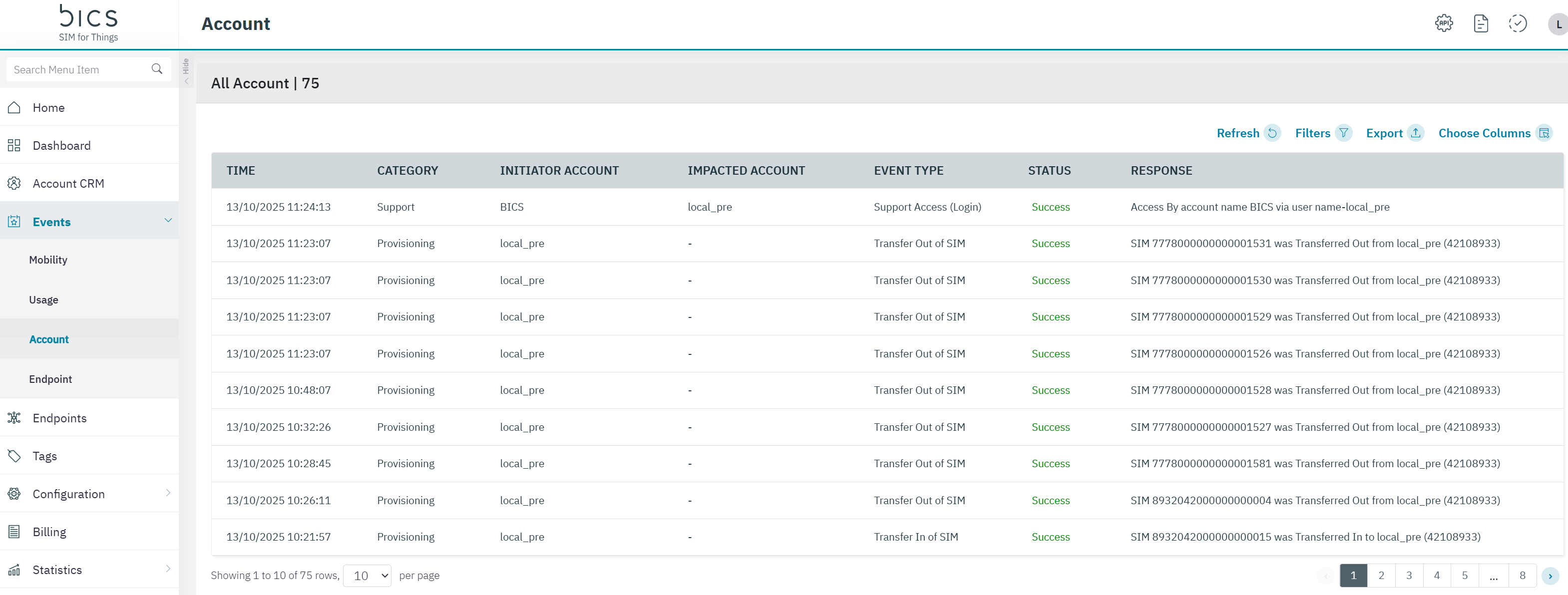
The following account event details are displayed on the screen.
|
Field |
Description |
|---|---|
|
Time |
Indicates the date and time when the Callback API event took place. Time is displayed in UTC standards |
|
Category |
Indicates the type of service. For example Callback, Coverage change and Endpoint Delete |
|
Initiator Account |
Indicates the account from where the callback initiated. Indicates the account from where the endpoint deleted. |
|
Impacted Account |
The account where these events are generated for. |
|
Event Type |
Indicates the Process Name of the callback API and Delete Endpoint.
|
|
Status |
Indicates the status of the callback API and Endpoint Delete. |
|
Response |
Indicates the HTTP Response of the callback API Indicates the Response of the endpoint delete. |
-
Click the filter icon to filter the results. You can filter on Start and End date, Operation Type , Status (Success / Failure), Category and Event type.
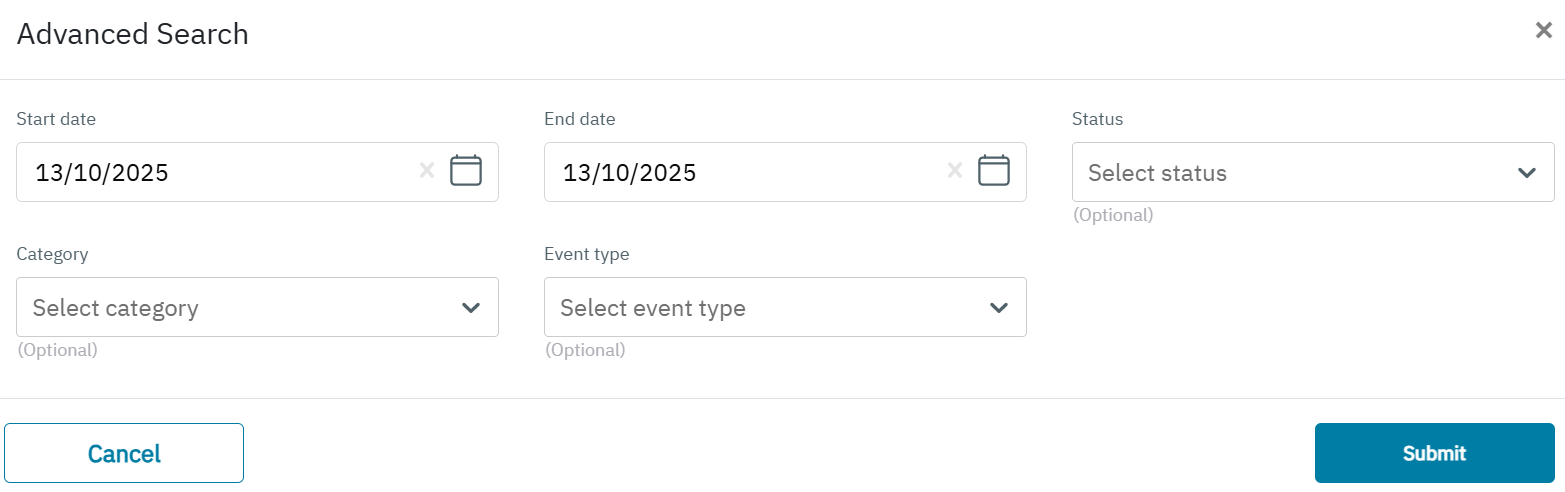
The following details are displayed on the screen.
|
Field |
Description |
|---|---|
|
Start Date |
Indicates the start date . |
|
End Date |
Indicates the end date |
|
Status |
Indicates the status of events . |
|
Category |
Indicates the type of category event .
|
|
Event Type |
Indicates the Event Type of the events
|