.jpg)
Mobility events
Network-related activities such as attach/detach, roaming, and session changes. The system captures events such as Create PDP, Delete PDP, Low balance,… .
The Account events are available in the UI and also via the API data streams. You can find more info on the Account Events here: Account data streams
-
Click on the Mobility menu under the Events.
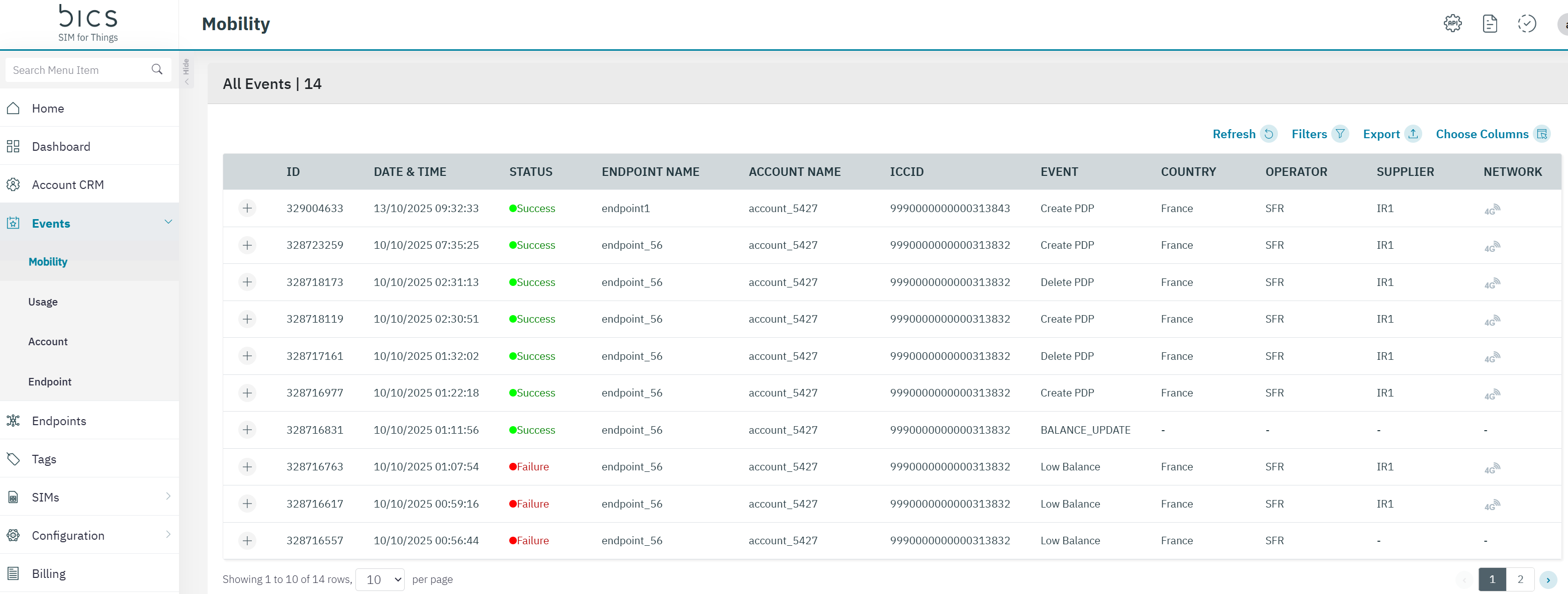
The following mobility event details are displayed on the screen.
|
Field |
Description |
|---|---|
|
ID |
Indicates the unique Event ID |
|
Date and Time |
Indicates the date and time when the event took place. Time is displayed in Account Time-Zone |
|
Status |
Indicates the status of the Event. |
|
Endpoint Name |
Indicates the name of the Endpoint from where the event originated |
|
Account Name |
Indicates the name of the enterprise |
|
ICCID |
ICCID indicates the serial number of the SIM. ICCID is a unique reference number given for each SIM |
|
Event |
Indicates the type of event recorded from each endpoint. |
|
Country |
Indicates the originating country of the event |
|
Operator |
Indicates the operator from which the event originated |
|
Network |
Indicates the network type of the transaction. For example, 2G, 3G, 4G, or NBIOT |
-
On the Events screen, click on the “+” icon to view the quick description of the event.
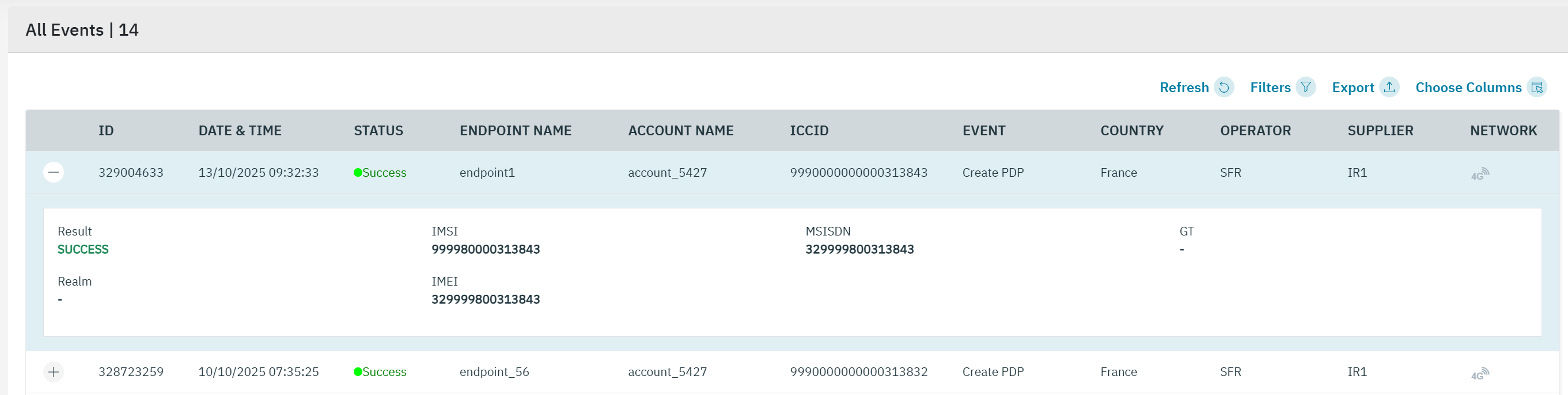

The following event details are displayed on the screen.
|
Field |
Description |
|---|---|
|
Result |
Success or Failure |
|
Error Code |
Indicates the unique error code for the event failure. |
|
Error description |
Indicates the error description for the event |
|
IMSI |
Indicates the IMSI of the endpoint.
|
|
MSISDN |
Indicates the MSISDN of the endpoint |
|
GT |
Indicates the unique address for routing signalling messages on telecommunications networks. |
|
Realm |
Indicates the security policy domain for the web application server. |
|
IMEI |
Indicates the IMEI of the device used |
-
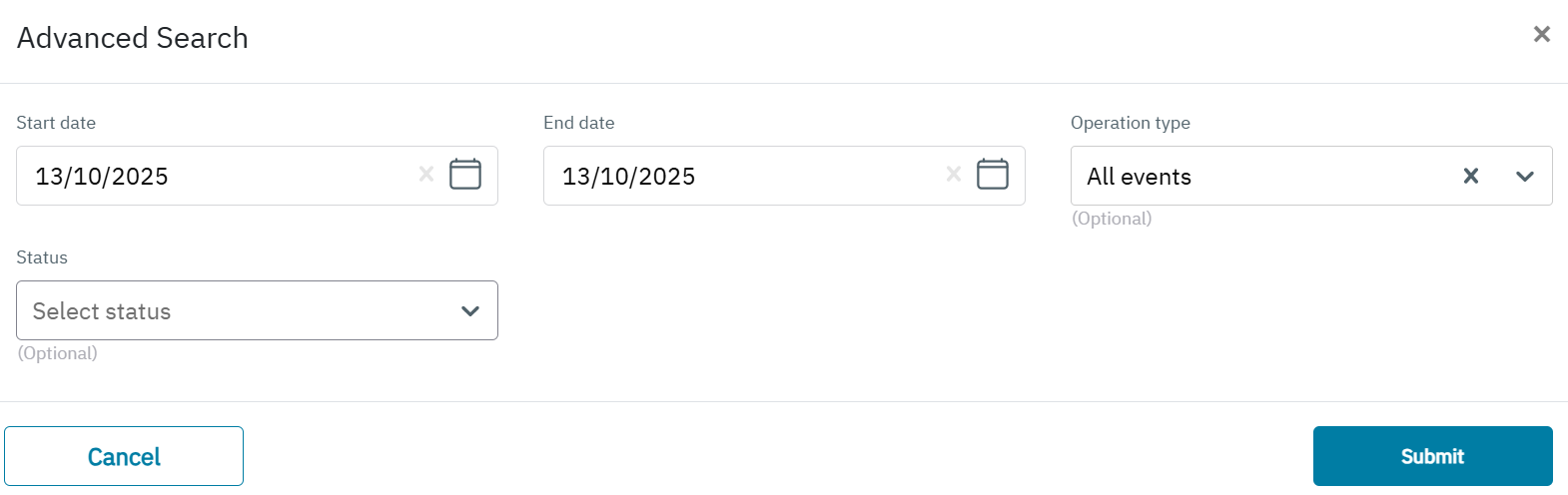
Click the filter icon to filter the results. You can filter on Start and End date, Operation Type and Status (Success / Failure).