.jpg)
SIM Transfer History
-
Click SIM Transfer History. Refer to the following screen.
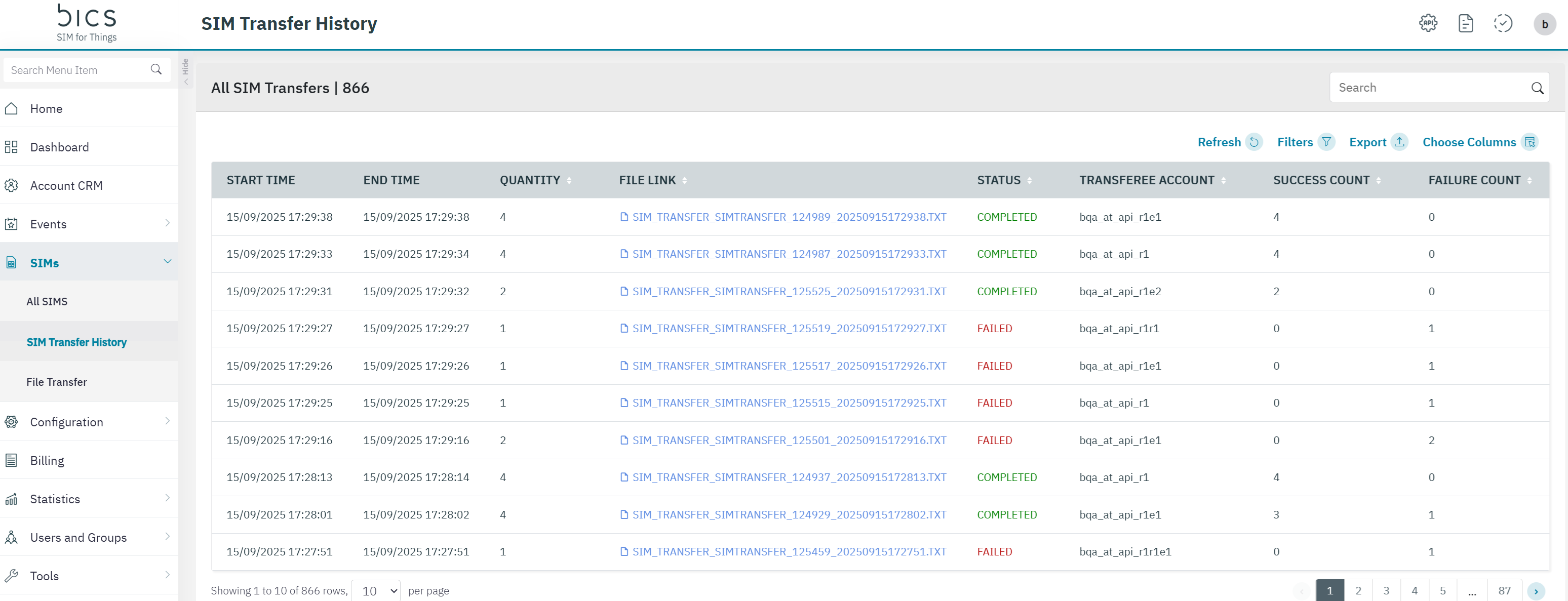
The following File details are displayed on the screen.
|
|
|
|
Field |
Description |
|
Start Time |
Time when the job started in YYYY/MM//DD hh:mm:ss format based on customer Time zone. |
|
End Time |
Time when the job completed in YYYY/MM/DD hh:mm:ss format based on customer Time zone. it should be empty or "---//- -::-" for jobs that have not been completed. |
|
Initiator |
Login User ID. |
|
Transferee Account |
the Account name where we have transferred the SIM. |
|
Quantity |
Indicates SIM transfer quantity. |
|
Success count |
Indicates the success SIM transfer count. |
|
Failure Count |
Indicates the failure count of the resource. |
|
File Link |
link to click and download in txt format the results both success and failure with reason. |
|
Status |
Indicates the status of the SIM transfer. |
-
After clicking the Filter button, the following screen is displayed.
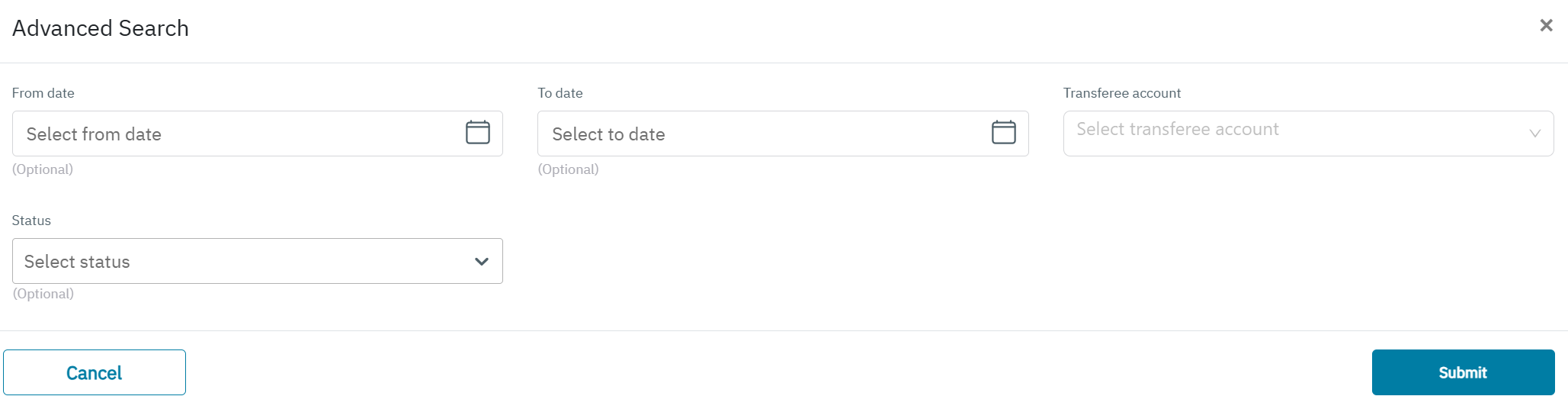
Using Advance search screen we can filter below fields
-
From Date
-
To Date
-
Account
-
Status – COMPLETED, PROCESSING, FAILED
Explanation about error codes for SIM transfer
-
“Test Plan associated with SIM is not included in Destination Transfer Account.”-If BICStestplanId is not included in the destination transfer account.
-
”Transferee Account Id And Transfer or Account Id Can not be same”
-
”SIM Deactivation failed from HSS”- For Sims which is in Active/Active Test/Active Inventory and failed to delink from HSS.
-
“Transferee Account Does exist in the System” -If transferee account id is wrong.
-
“Sim does not exist on system for provided sim id”-If the ICCID/simid is wrong.
-
“SIM Status is "(status)" And Not Eligible For Transfer”
-
“Common Error!!!!” -All the failure cases other than the above mentioned cases, like any DB update fails etc.