.jpg)
Addon Details
-
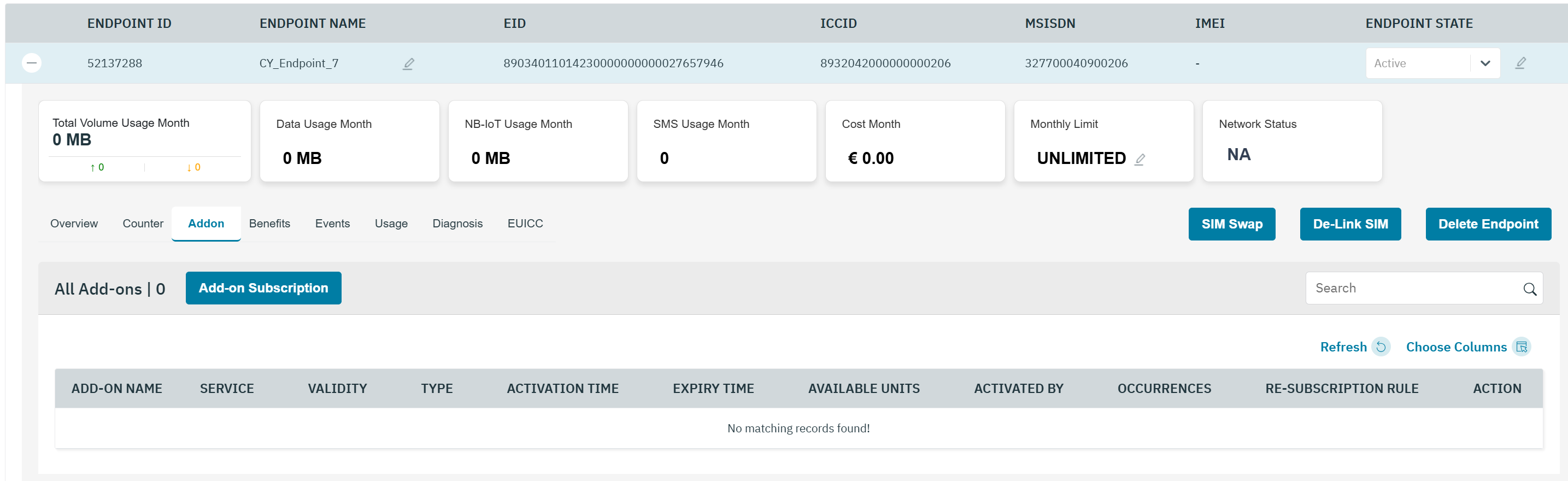
On the Endpoint screen, click Addon to view the addons assigned to the endpoint.
-
The following Addon details are displayed on the Overview screen.
|
Field |
Description |
|---|---|
|
Addon Name |
Indicates the name of subscribed Addon. |
|
Service |
Indicates the service of subscribed Addon.
|
|
Validity |
Indicates the validity of Addon-on plan. For example, Month,Year,Day |
|
Type |
Indicates the charge Mode of subscribed Addon.
|
|
Activation Time |
Indicates the activation time and date of the Add-on plan. |
|
Expiry Time |
Indicates the Expiry Time and date of subscribed Addon. |
|
Available unit |
Indicate the available unit of subscribed Addon. |
|
Activated by |
|
|
Occurrences |
|
|
Re-Subscription Rule |
|
|
Action |
Indicates the action to be taken on the Addon. For example, Activate or Deactivate. |