.jpg)
Usage
-
On the Endpoint screen, click Usage to view the transaction details of the enterprise.
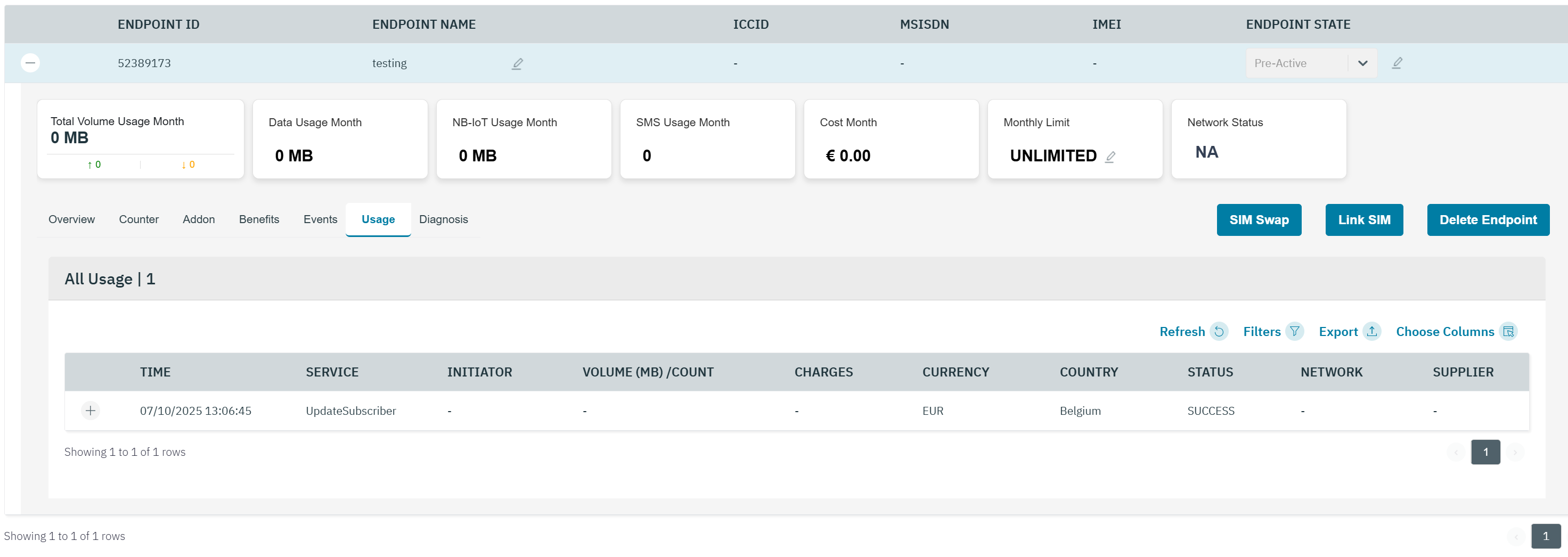
The usage tab lists the transactions under the Enterprise.
-
The following transaction details are displayed on the screen.
|
Field |
Description |
|---|---|
|
Time |
Indicates the date and time of the transaction |
|
Service |
Indicates the type of service. For example Data or SMS |
|
Initiator |
Indicates the MSISDN of the endpoint from where the transaction originated |
|
Volume (MB)/Count |
If the service type is data, the volume of data consumed in Megabytes (MB) during the transaction is displayed.The value shall be displayed with 3 decimals.
|
|
Charges |
Indicates the charges for the transaction.The value shall be displayed with 3 decimals. |
|
Currency |
Indicates the currency of the enterprise |
|
Country |
Indicates the originating country of the service. For example Belgium |
|
Status |
Indicates the status of the transaction. For example, Success or Failure |
|
Network |
Indicate the network used for the transaction. For example, Proximus |
|
Supplier |
Indicates then supplier name of the network of which the data usage is performed |
|
|
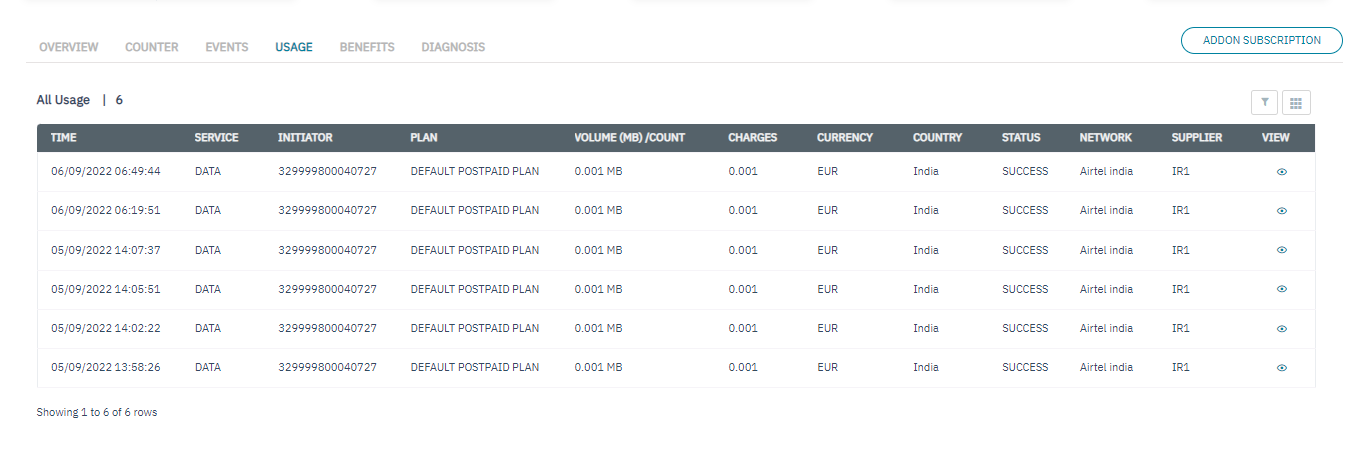
Click the eye icon to view the short description of the event. |
-
On the Usage screen, click the eye icon to view the quick description of the Transaction. Refer to the following screen.
-
After clicking the button, the following screen is displayed
-
The following transaction details are displayed on the screen.
|
Field |
Description |
|---|---|
|
Account Name |
Indicates the name of the enterprise |
|
Charges |
Indicates the charges for the transaction. The value shall be displayed with 3 decimals. |
|
Currency |
Indicates the currency of the enterprise |
|
Network type |
Indicates the network type used for transaction. For example, 2G, 3G, 4G, or NBIOT |
|
Parent Customer |
Indicates the parent customer of the endpoint |
|
Rating group |
Indicates the Rating group of the endpoint |
|
Start Time |
Indicates the start date and time of the event. Start time is based on the endpoint's time zone |
|
Balance after |
Indicates the account balance after transaction |
|
Connection Type |
Indicates the type of connection. For example, Prepaid or Postpaid |
|
Event Result |
Indicates the result of the event. |
|
Orig Country |
Indicates the originating country of the transaction |
|
Plan Name |
Indicates the current base plan of the endpoint |
|
Rating Group Delta |
Indicates the data consumed for the rating group.3 digit values after decimal point will be displayed. |
|
Status |
Indicates the status of the transaction. For example, Success or Failure |
|
Balance before |
Indicates the balance before the transaction. |
|
Count/Volume(MB) |
If the service type is data, the volume of data consumed in Megabytes (MB) during the transaction is displayed.The value shall be displayed with 3 decimals.
|
|
MSISDN |
Indicates the MSISDN of the endpoint |
|
Orig Operator Name |
Indicates the Originating operator name of the transaction |
|
Ratezone |
Indicates the Ratezone under which the transaction occurred |
|
Service |
Indicates the type of service used in the transaction. For example, Data or SMS |
|
Transaction time |
Indicates the end time of the event. |