.jpg)
Events
-
On the Endpoint screen, click Events to view the event details under the enterprise.
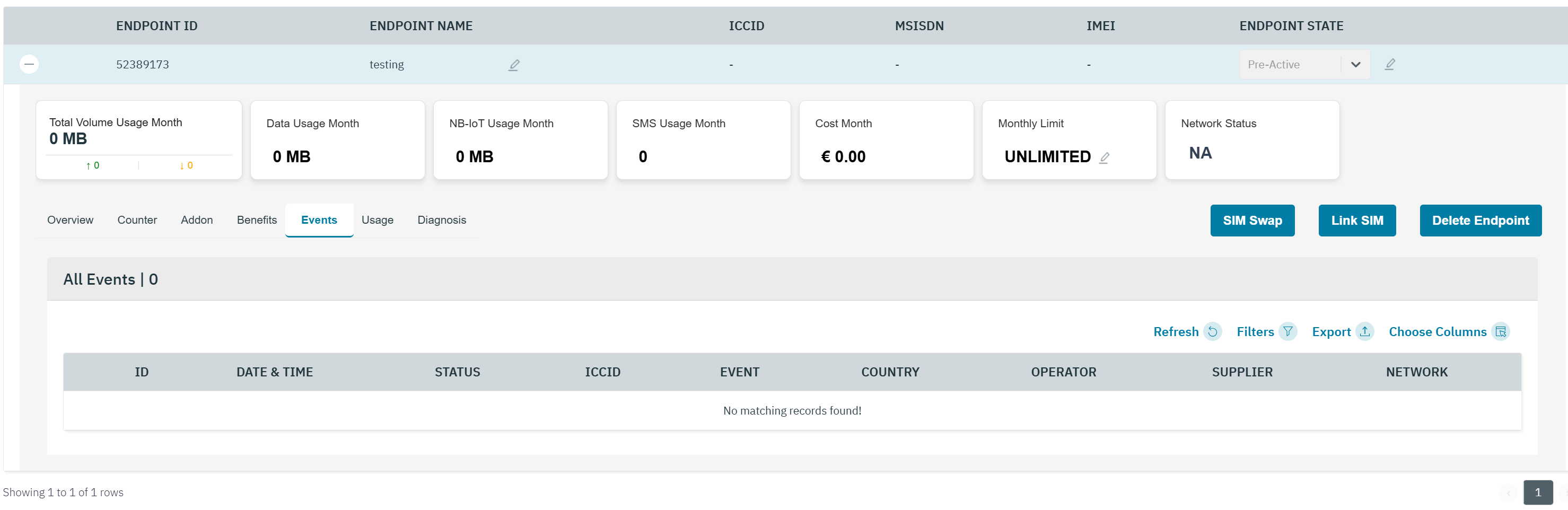
On the Events tab, you can view the list of activities under the Enterprise. All the events are arranged in descending order of their occurrence.
-
The following event details are displayed on the screen.
|
Field |
Description |
|---|---|
|
ID |
Indicates the unique reference ID of the event |
|
Date & Time |
Indicates the date and time when the event took place. Time is displayed in Account Time-zone |
|
Status |
Indicates the status of the Event. For example Success or Failure |
|
ICCID |
ICCID indicates the serial number of the SIM. ICCID is a unique reference number given for each SIM. |
|
Event |
Indicates the event type occurred. |
|
Country |
Indicates the originating country of the event |
|
Operator |
Indicates the name of the operator from where the event originated |
|
Supplier |
Indicates the supplier name of the network used in the event occured |
|
Network |
Indicates the network type for the event. For example 2G, 3G, 4G, or NBIOT |
|
|
Click the eye icon to view the short description of the event |
-
If you place the cursor over the eye icon against a successful event, the following screen is displayed. Refer to the following screen.
-
The following event details are displayed on the screen.
|
Field |
Description |
|---|---|
|
Error Code |
Only in case of failure event. Indicates the unique error code for the event failure. Based on the type of error, error code varies. |
|
Error description |
Only in case of failure event. Indicates the error description of the event. |
|
IMSI |
Indicates the IMSI of the endpoint.
|
|
MSISDN |
Indicates the MSISDN of the endpoint |
|
GT |
Indicates the unique address for routing signalling messages on telecommunications networks. |
|
Realm |
Indicates the security policy domain for the web application server |