Skip table of contents

Counter Details

Counter Details

  • On the Endpoint screen, click Counter to view the counter details.
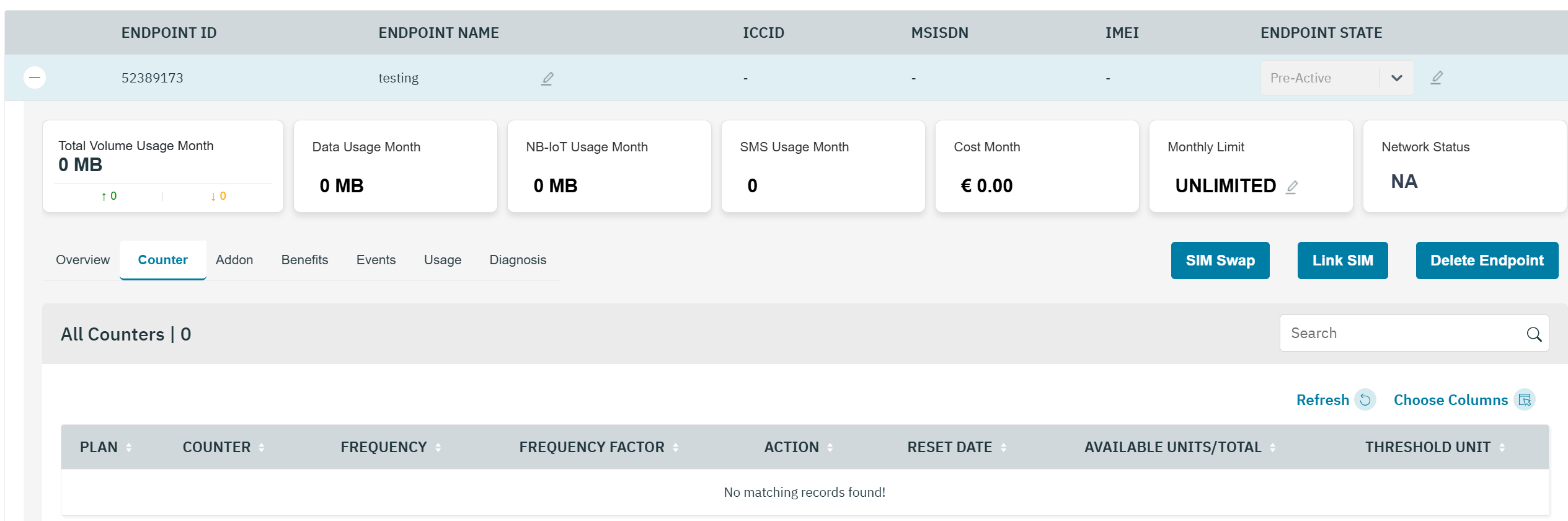
image-20251007-110718.png

Figure 1 Counter Details

  • The following counter details are displayed on the screen.

Field

Description

Plan

Indicates the current base plan of the endpoint

Counter

Indicates the Counter type. For example, Daily or Monthly

  • Daily_DATA – Indicates the counter is calculated on a daily basis for DATA

  • Monthly _DATA– Indicates the counter is calculated on a monthly basis for DATA

  • Daily_NB-IOT – Indicates the counter is calculated on a daily basis for NB-IOT

  • Monthly _NB-IOT– Indicates the counter is calculated on a monthly basis for NB-IOT

Frequency

Indicates the reset frequency of counter. For example, daily or monthly.

Frequency Factor

Indicates the frequency at which the counter is calculated
For example, when you enter frequency factor as 2, selected counter as daily, threshold value as 100, and threshold unit as MB, the counter is triggered once in two days when the endpoint consumes 100 MB of data.

Action

Indicates the action triggered when the threshold limit for the counter is reached.
Block – Blocks the data connectivity
Default – Allows the endpoint to browse without any loss in data speed. User is charged for out of bound data usage
Redirect – For example, the endpoint is redirected to an online web portal where the endpoint needs to buy an Addon plan to continue browsing
Throttle_128 Kbps – Reduces the data speed to 128 Kbps
Throttle_256 Kbps – Reduces the data speed to 256 Kbps
Throttle_384 Kbps – Reduces the data speed to 384 Kbps
Throttle_512 Kbps – Reduces the data speed to 512 Kbps

Reset date

Indicates the date and time when the counter will automatically reset.
At that moment, the total units bucket is renewed - meaning the available usage is replenished according to the defined counter frequency in the plan (daily or monthly).

Available units/total

Displays the current and maximum data volume allowed for the endpoint usage before any throttle rule defined by counter applies.

  • Available units - the remaining volume of units that can still be used by the endpoint before reaching the limit.

  • Total units - the total volume of units allocated for the current counter period.

Threshold unit

Indicates the unit for the threshold value. For example, Bytes, KB, and MB.
For example, a threshold value of 1000 and threshold unit of MB indicates that 1000MB is the threshold limit for the counter.

JavaScript errors detected

Please note, these errors can depend on your browser setup.

If this problem persists, please contact our support.