.jpg)
View user
-
Click the users menu to view the user management screen. Refer to the following screen.
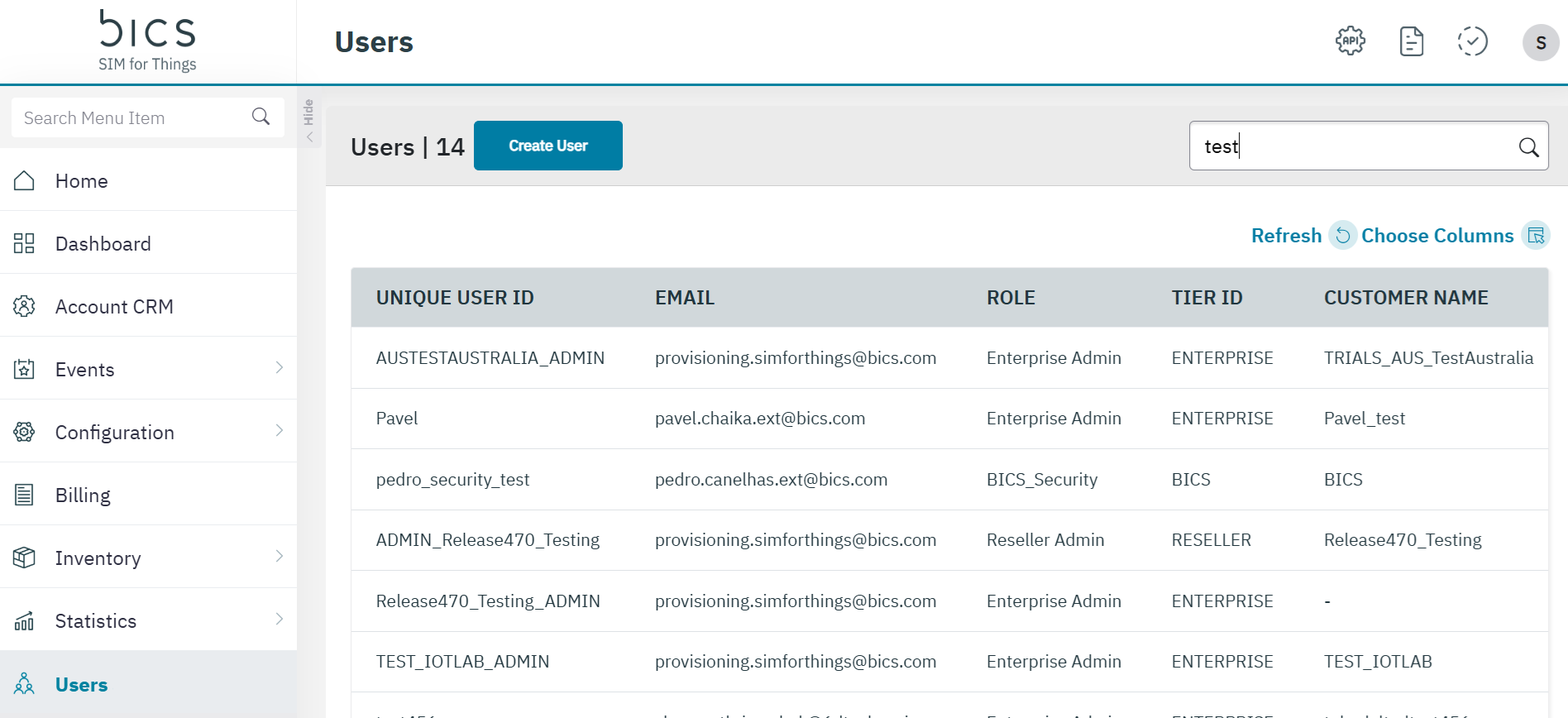
The following user details are displayed on the screen.
|
Field |
Description |
|---|---|
|
Unique User ID |
Indicates the unique reference ID of the user. |
|
|
Indicates the email address of the user |
|
Role |
Indicates the role assigned to the user. |
|
Tier ID |
Indicates if the user is on an enterprise or reseller account |
|
Customer Name |
Indicates the name of the account |
|
User ID |
Indicates the unique identifier of the user |
|
Name |
Indicates the name of the user |
|
Reset Password |
Click the closed lock icon to reset the user password. |
|
Block User |
Indicates the current status of the User.
|
|
Edit |
Click to edit the user details. Modify user |
|
Delete |
Click on the bin icon to delete the blocked user.
|