.jpg)
Create Endpoint
-
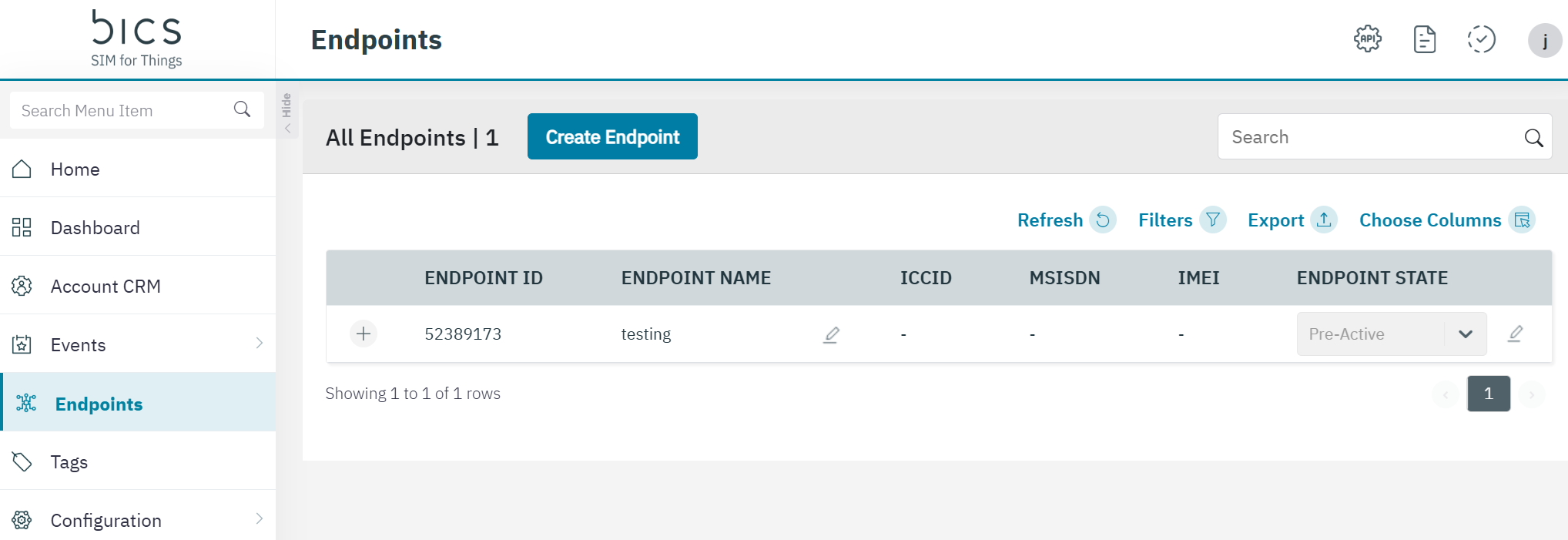
On the Endpoint screen, click Create Endpoint to create a new endpoint.
-
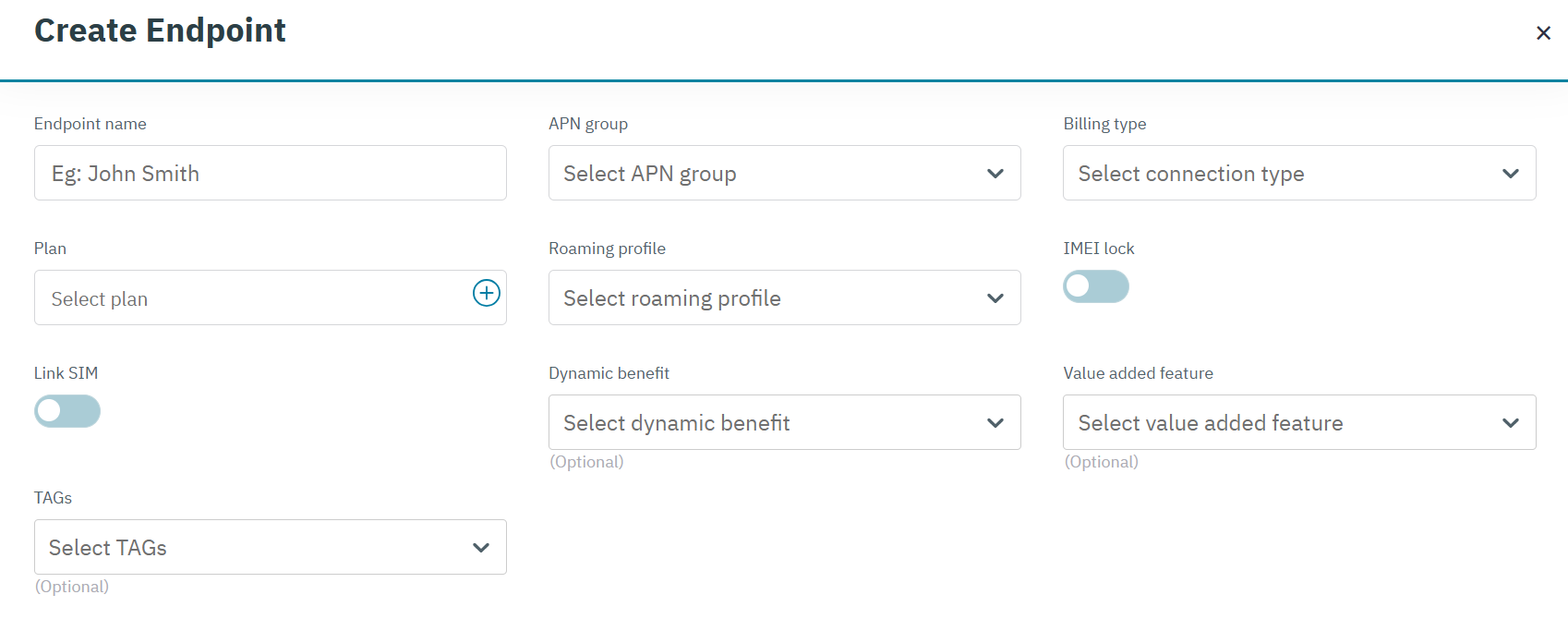
After clicking the button, the Create Endpoint screen is displayed
-
Enter or select the following information in the corresponding fields.
|
Field |
Description |
|---|---|
|
Endpoint Name |
Enter the name for the Endpoint |
|
APN Group |
Select the APN group for the endpoint in the drop-down list. APN group available for the Enterprise are displayed |
|
Billing Type |
Select the connection type for the endpoint in the drop-down list. For example Postpaid or Prepaid |
|
Plan |
Click the “+” icon to attach a plan for the endpoint. |
|
Roaming Profile |
Select the Roaming profile for the endpoint in the drop-down list. Only roaming profiles available under the enterprise are displayed. |
|
IMEI Lock |
Push button to enable IMEI Lock, by default it will be disabled. |
|
Link SIM |
|
|
IMEI |
By default, the IMEI field is not displayed. This field is enabled if IMEI lock toggle button is enabled. And additional input field for the IMEI will be shown.
|
|
Link SIM button |
Push the button to enable or disable the Link SIM option. 
|
|
SIM |
By default, the SIM field is not displayed. Enable the Link SIM option to show the SIM filed. 
Click the “+” icon to attach a SIM for the endpoint.
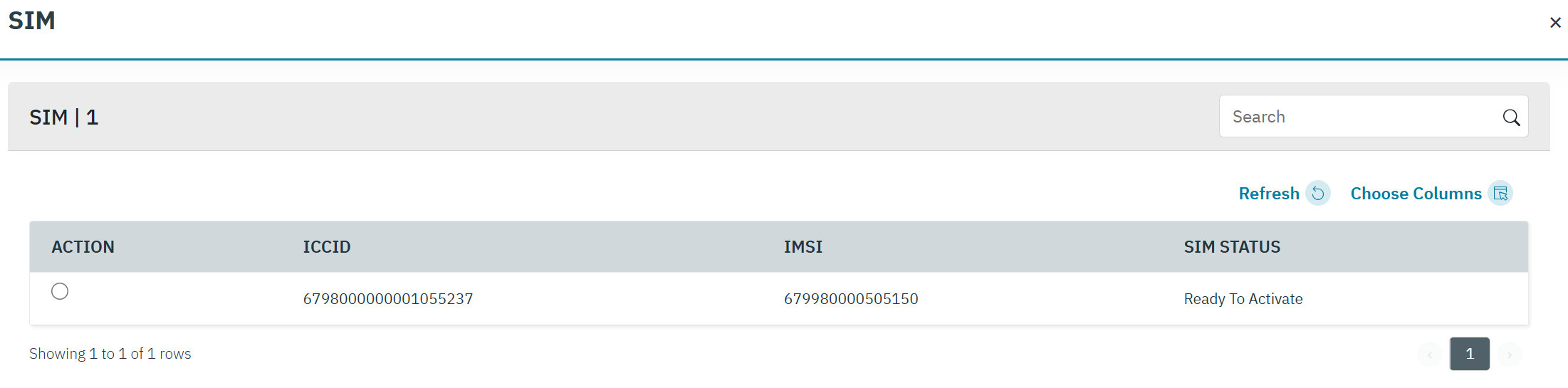
Note: Only, Ready to Activate SIMs is displayed. Select the required SIM. |
|
Activate Immediately button |
By default, the "Activate Immediately" field is not displayed. This field is enabled if SIM is linked to the Endpoint.
|
|
MSISDN |
The MSISDN field is only show when the Activate Immediately option is enabled. it displays the MSISDN that will be assigned to the endpoint when the endpoint is created. |
|
Dynamic Benefit only |
This field is displayed only if “Dynamic Benefit only” is enabled for the Enterprise account. When it is disabled then and no changes are allowed.
Note: A monthly recurring fee and SIM management fee is collected from the enterprise when dynamic benefit is enabled.
|
|
Dynamic Benefit Name |
This field is always displayed, whether or not Dynamic Benefit only is enabled for Enterprise.
System allows 20 pooled MDB per endpoints, then system have the limitation of max 25 Benefits |
|
Addon Plan |
By default, the Addon field is not displayed. This field is displayed only if Activate Immediately in enabled.
Note: Addon plan is a non-mandatory field. If Addons are not selected, then endpoint will get created without any Addon benefit
|
|
Tags |
This field is displayed only if Tags is created at the Enterprise level. Select the Tags in the drop-down list.
Note: maximum 10 tags can be added to an endpoint. |
|
Value added feature |
If an enterprise have feature based SIM management fee charge configured in it’s base plan, then Value added feature field will be visible in the create endpoint screen. Adding a value added feature can be done with or without linking a SIM to the endpoint and/or activating the endpoint. |
-
After entering the details, click Submit.
-
A confirmation message is displayed, indicating the Endpoint is created successfully.