.jpg)
Suspend or reactivate endpoint
Using the Endpoints menu, the enterprise can suspend or reactivate the SIM attached to an endpoint. Suspending a SIM, temporarily blocks the service for the endpoint. If required, the enterprise can reactivate the SIM later to restore the service to the endpoint.
Only Active Endpoints can be suspended. Only a suspended Endpoints can be reactivated.
-
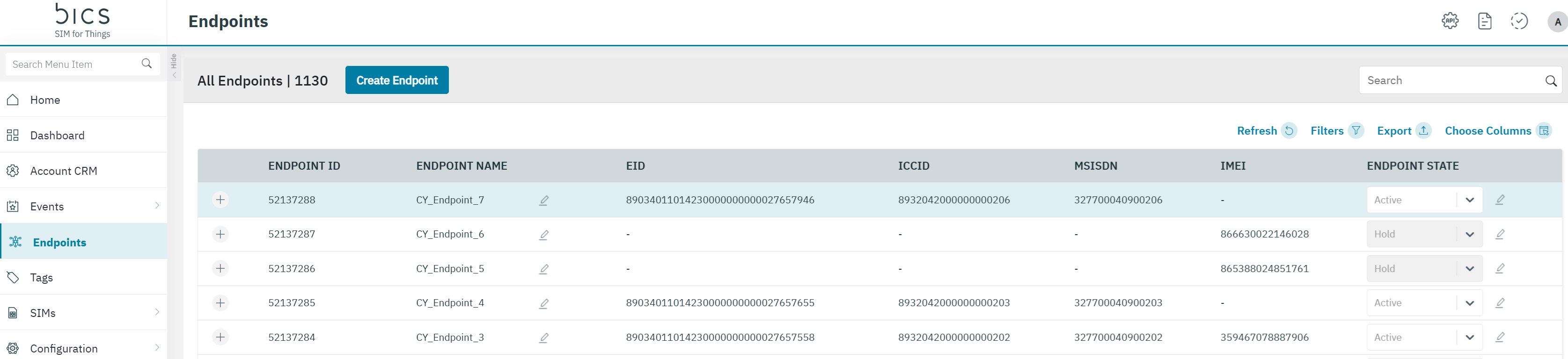
Click the SIM status drop-down list displayed against the Endpoint with status as "Active".
-
Click the on pencil icon next to the endpoint state drop-down box. Click Suspend, in the drop-down list to suspend the SIM.


-
After clicking the “check“ icon next to the drop-down box, you receive "Alert Are you sure you want to continue.?" message.
-
Click "Yes" to confirm the action and a confirmation message is displayed indicating the life-cycle status of the endpoint is changed successfully to Suspended or Active again.
-
Click "No" to discard the action.
-