.jpg)
Link SIM
Endpoints can be created with or without attaching the SIMs. Using the endpoints menu, the enterprise can attach or link a SIM to the endpoint.
There are two ways to Link SIM to endpoint.
-
during the endpoint provisioning: Create Endpoint
-
after the endpoint provisioning is explained below.
SIMs can be linked only to the endpoints with status as "Hold".
On the endpoint screen, click on the Link SIM button to attach a SIM to the Endpoint.
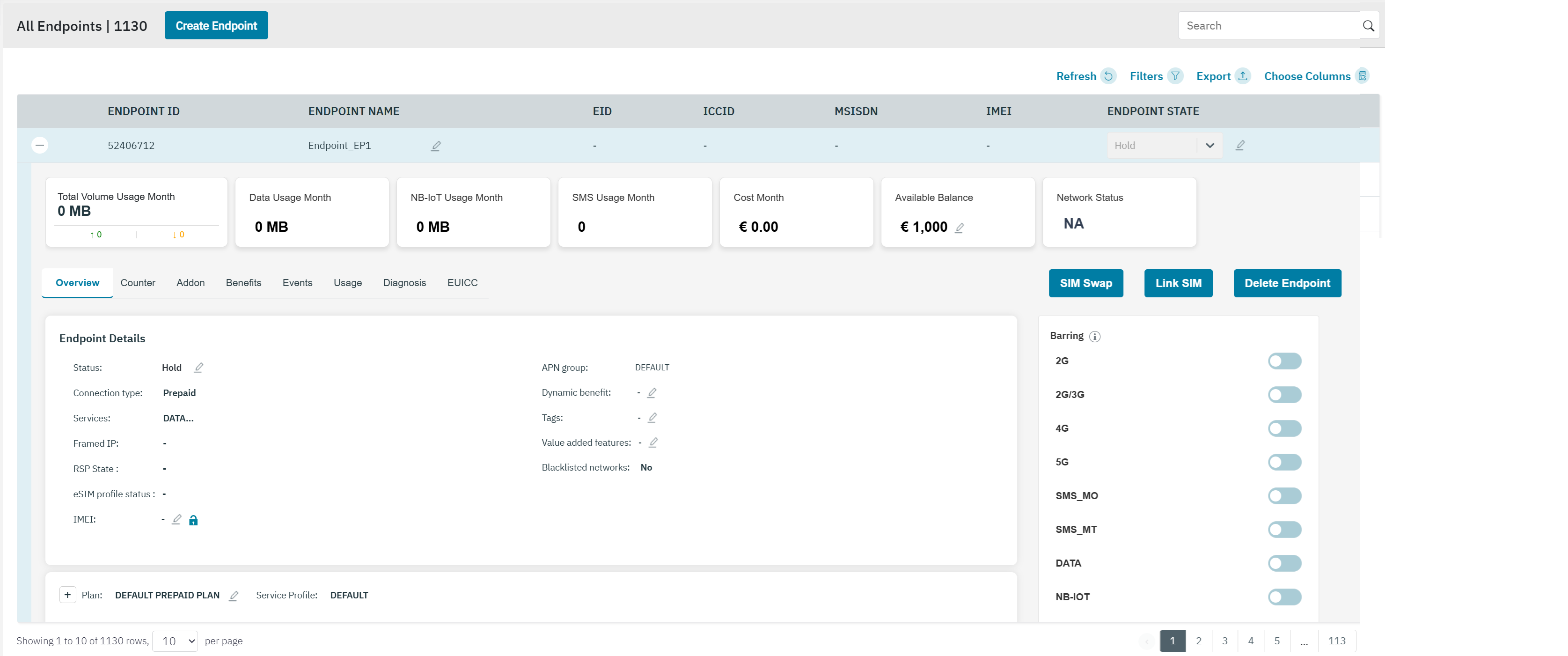
After clicking the button, the following screen is displayed.
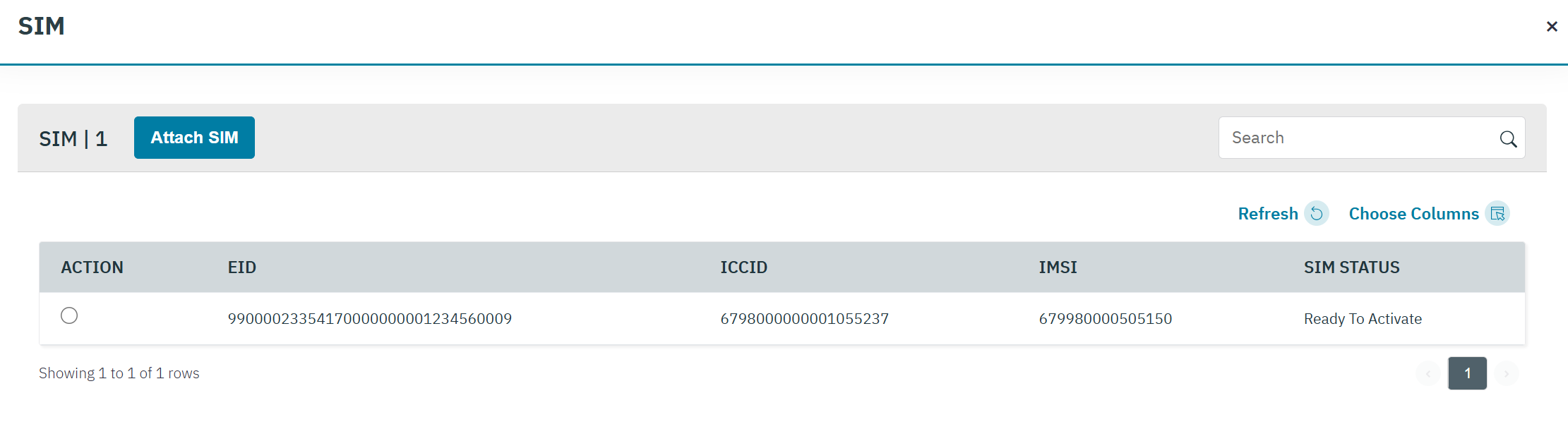
The following SIM details are displayed on the screen.
|
Field |
Description |
|---|---|
|
Action |
Select the corresponding SIM that you want to link to this endpoint. |
|
EID |
EID stands for Embedded Identity Document. It is a 32-digit unique identifier embedded in the eSIM chip of a device. The EID is used to identify the eUICC (embedded Universal Integrated Circuit Card) hardware. |
|
ICCID |
ICCID indicates the serial number of the SIM. ICCID is a unique reference number given for each SIM. |
|
IMSI |
Indicates the IMSI of the endpoint.
|
|
Status |
Indicates the status of the SIM.
|
-
Select the required SIM and click Attach SIM.
-
The "Alert Are you sure you want to continue.?" message will be shown.
-
Click Yes to confirm the action. A confirmation message is displayed indicating the SIM is linked successfully.
-
Click No to discard the action.
-
After linking the SIM with the endpoint and the “Activate Immediately” is true, then the status of the endpoint wlll be Active.
After linking the SIM with the endpoint and the “Activate Immediately” is false, then the status of the endpoint will be pre-active.
The “Activate Immediately” is set during the endpoint creation! Create Endpoint
De-link SIM
An Enterprise can De-link a SIM attached to the Endpoint.
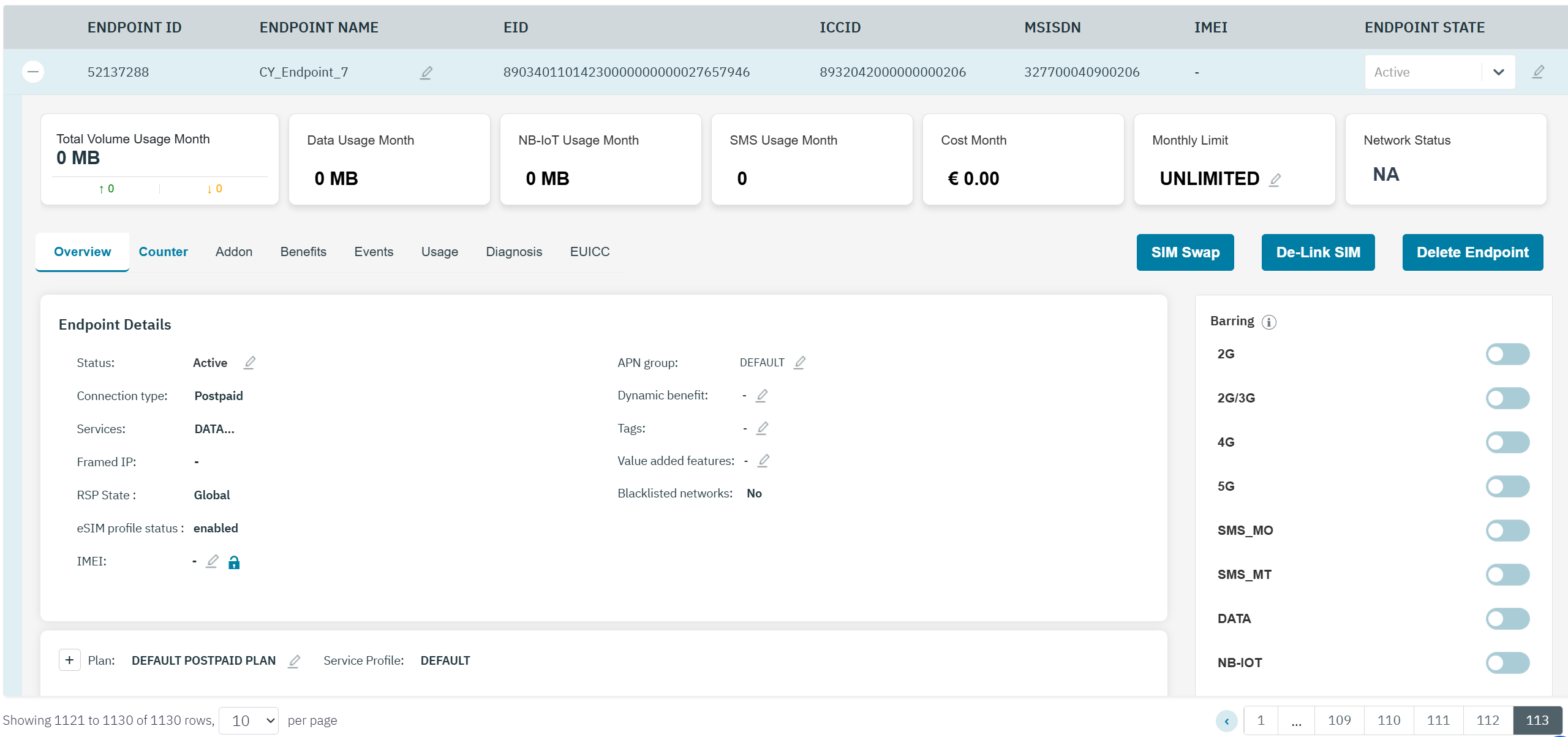
You can De-link endpoints with SIM status as Active, Suspended, and Pre-Active
On the endpoint CRM screen, click De-link to detach the SIM from the Endpoint.
-
The "Alert Are you sure you want to continue.?" message will be shown.
-
Click Yes to confirm the action. A confirmation message is displayed indicating the SIM is de-linked successfully.
-
Click No to discard the action.
-
-
The SIM that was previously linked to the endpoint will be available again to be linked to the same or another endpoint.