.jpg)
Modify Endpoint Addon
Add-on Subscription
The maximum amount of active addons for an endpoint is limited to 15.
-
On the Endpoint screen, click the Addon tab and Add-on Subscription button.
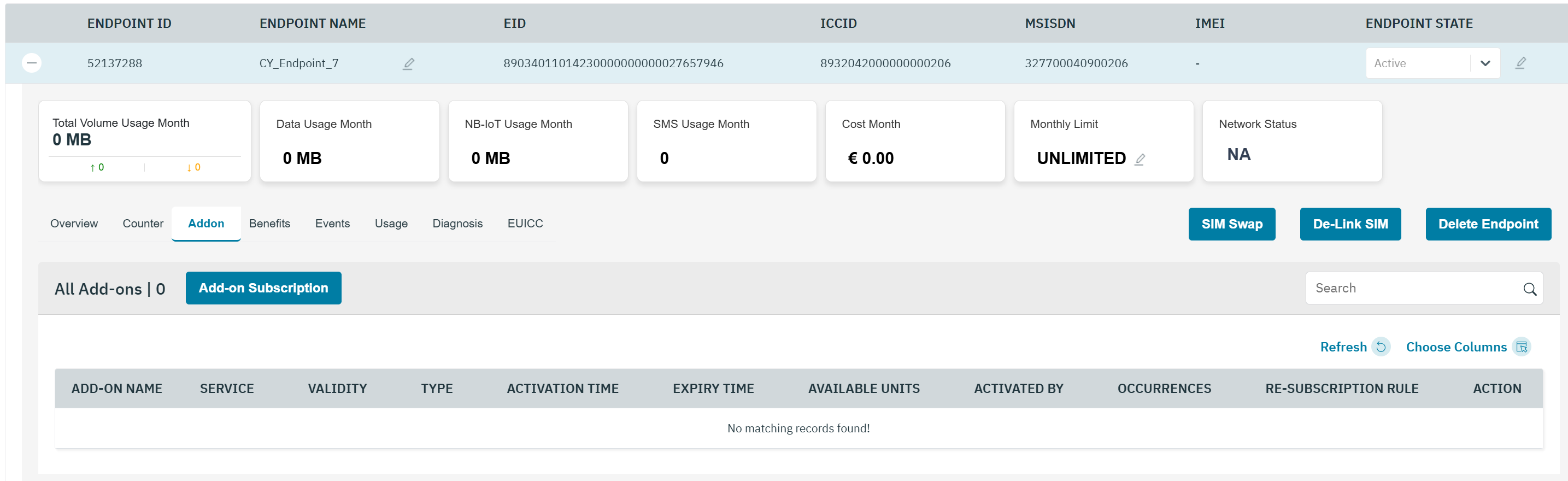
-
After clicking the button, the Addon Subscription screen is displayed

-
Click Subscribe displayed against the Addon plan.
-
After clicking Subscribe, a confirmation message is displayed indicating that the Addon is successfully activated. The newly subscribed addon will be displayed in the overview section.
-
View of attached Addon, Click on the “+” icon in the overview.
Addon Deactivation
-
On the Endpoint screen, click Overview for deactivate Addon. Refer to the following screen.
-
After clicking DEACTIVATE, a confirmation message is displayed indicating Addon is successfully deactivated.