.jpg)
SIM Swap
SIM swap allows the enterprise to change the currently attached SIM with a new SIM.
SIM swap is available only for Endpoints that have SIM status as "Active".
-
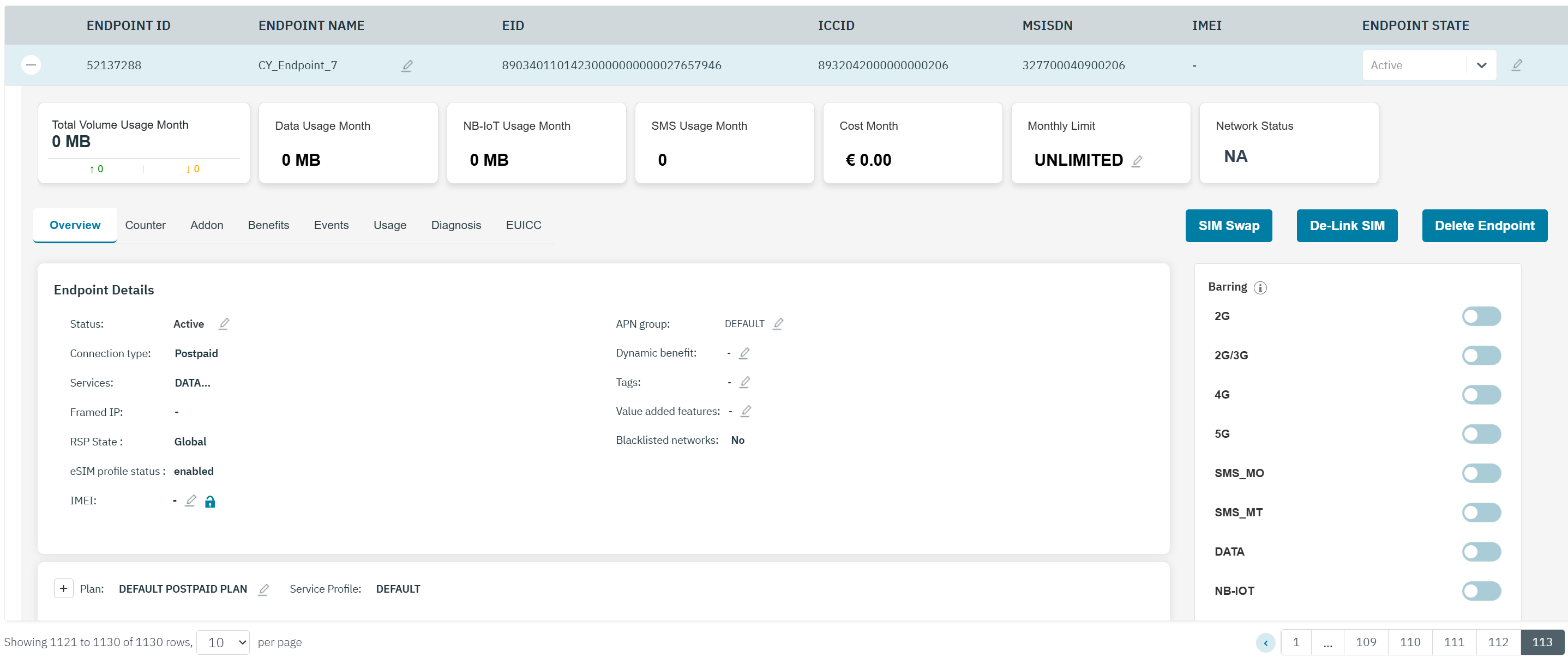
In the endpoint screen, click the SIM Swap button to swap the existing SIM for a new SIM.
-
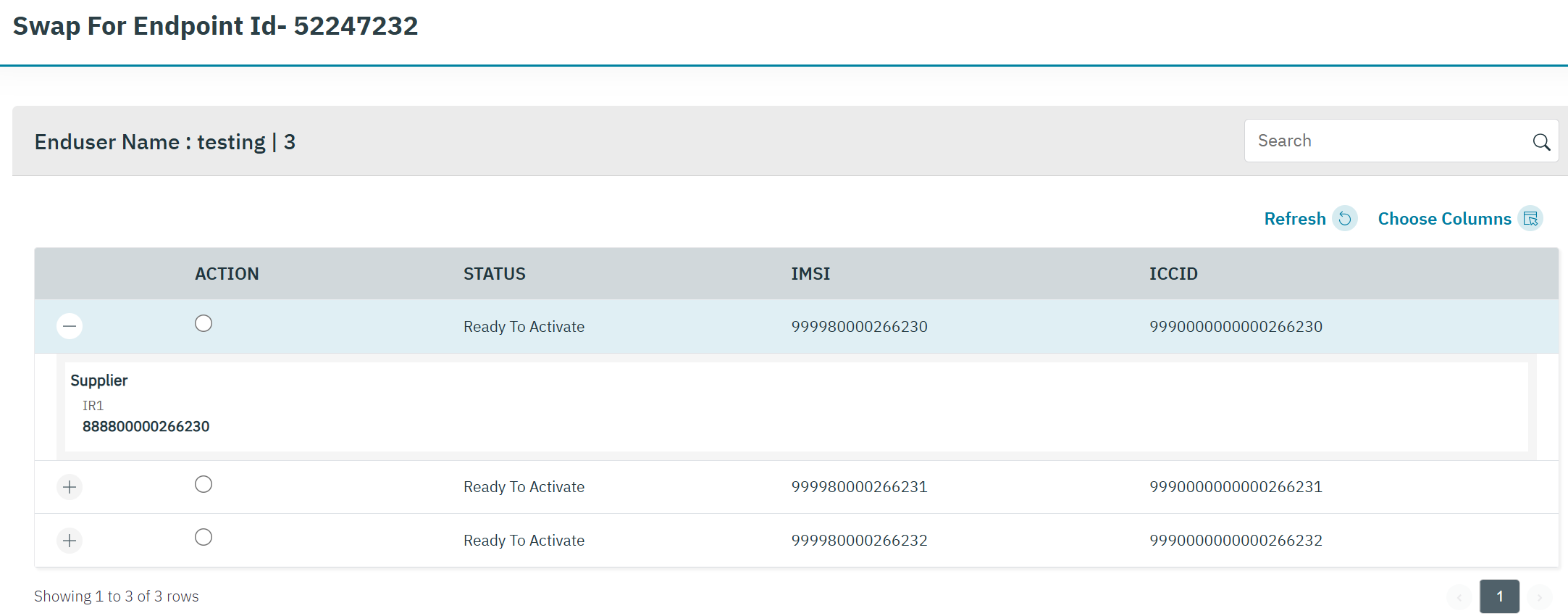
After clicking the button, the following screen is displayed.
-
The following SIM details are displayed on the screen.
|
Field |
Description |
|---|---|
|
Action |
Click the Action button to select the SIM |
|
Status |
Indicates the status of the SIM.
|
|
IMSI |
Indicates the IMSI of the SIM.
|
|
EID |
EID stands for Embedded Identity Document. It is a 32-digit unique identifier embedded in the eSIM chip of a device. The EID is used to identify the eUICC (embedded Universal Integrated Circuit Card) hardware. |
|
ICCID |
ICCID indicates the serial number of the SIM. ICCID is a unique reference number given for each SIM. |
|
Supplier |
Click on the “+” icon to open the details. The supplier indicates the Supplier of the IMSI |
-
Select the required SIM
-
Click Submit and a clear warning message will display indicating that SIM Swap is not a reversible action.
-
Click on YES to confirm the SIM SWAP.
-
A confirmation message is displayed indicating the SIM swap is successful.
The changes you are about to perform are not reversible and you will lose the current SIM permanently. Are you sure want to perform 'SIM SWAP' for this Endpoint ?